
Most teams do not think much about secrets until one leaks. A database password ends up in a repo, a long-lived API key gets copied into a CI job, or a service account token sits in a config file for years. The problem is usually not one bad decision; it’s drift.
That is why secrets management matters. It gives teams a controlled way to store, issue, rotate, and audit sensitive credentials, rather than scattering them across code, pipelines, containers, and wiki pages. OWASP explicitly calls out the need to centralize storage, provisioning, auditing, rotation, and management of secrets, and both OWASP and CyberArk note that hardcoded secrets in code and config remain a common failure pattern.
What is Secrets Management?
Secrets management is the discipline of handling sensitive machine credentials so that only the intended workload, service, or operator can retrieve and use them. In real systems, that usually means taking passwords, API tokens, certificates, SSH keys, and encryption keys out of source code and unprotected configuration, then putting them behind authentication, authorization, rotation, and audit controls.
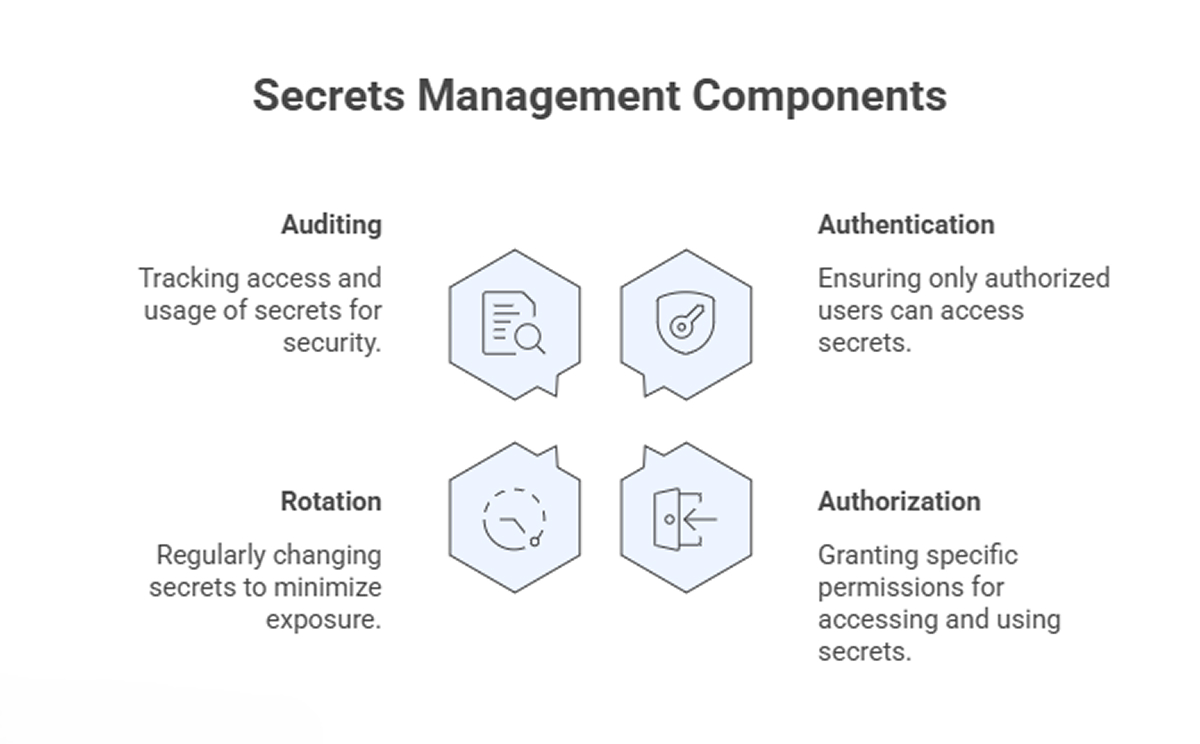
A useful way to think about secret management is that it is less about hiding strings and more about controlling access over time. The secrets matter, but so do the policies around who can access them, how long they remain valid, whether they can be rotated safely, and what evidence is available when something goes wrong. Those are the things teams often miss when they treat secrets as just another environment variable. OWASP’s guidance puts least privilege, lifecycle management, auditing, expiration, and transport protection in the middle of the design, not on the edge.
Types of Secrets That Organizations Must Protect
Some secrets are obvious. Others are easy to ignore because they live inside automation and never touch a login screen. That is usually where the bigger risk sits.
- Database credentials – These are often shared among application services, migration jobs, admin scripts, and reporting tools. Once they spread into multiple repos or jobs, rotation becomes painful, and compromise tracking gets messy.
- API keys and access tokens are used constantly by internal services, third-party integrations, and CI workflows. They are convenient, which is exactly why they get copied into build files and shell scripts.
- SSH keys – These still show up in deployment paths, automation nodes, and break-glass access. They are powerful and often over-retained.
- TLS certificates and private keys – Teams usually pay attention to certificates when they expire, but the private key handling is the real secrets security issue. Key material needs stronger protection and lifecycle control than ordinary config.
- Cloud and IAM credentials – Workloads use them to reach storage, queues, databases, and control planes. When these are long-lived, the blast radius can be much larger than one application.
- Encryption keys and signing keys – These are not interchangeable with passwords. NIST treats cryptographic key management as its own discipline because protection, storage, rotation, and recovery all need policy and planning.
How Secrets Management Tools Protect Sensitive Credentials
Good secrets management tools do not just store values in a vault and stop there. They act as intermediaries between the workload and the credential, enforcing rules on retrieval, expiry, and traceability. That is what makes a secrets management service useful in production, while Pluto Security focuses on visibility and guardrails across modern creation workflows.
- Central storage – A single control plane reduces the need to keep secrets in repos, config files, or ticket comments. OWASP recommends centralization and standardization because scattered storage makes maintenance and incident response harder.
- Strong access control – Retrieval should require authenticated requests, scoped roles, and least-privilege access. A build job should not be able to fetch production database credentials simply because they exist.
- Audit trails – Teams need to know who or what requested a secret, when it happened, whether access was denied, and whether expired credentials were reused. Without that, incident review turns into guesswork.
- Rotation support – Static credentials become liabilities fast. OWASP recommends automated rotation where possible, because manual rotation is error-prone and often gets deferred until after a problem.
- Dynamic secrets – In better designs, workloads receive short-lived credentials created for a session, deployment, or runtime window, then invalidated when no longer needed. That cuts credential reuse and narrows the damage from leaks.
- Secure delivery – Secrets should be transmitted over TLS and spend as little time as possible in plaintext, including in memory and logs. This is basic, but teams still get burned by accidental logging and weak transport handling.
- Availability and recovery planning – A secret store can become critical infrastructure. If the platform is down and you cannot retrieve the credentials needed to restore systems, the outage gets worse. OWASP specifically calls out downtime, break-glass access, backup, and restore planning.
Final Thoughts
Secrets management is one of those areas where teams can look fine for a long time and still be one leak away from trouble. The practical goal is simple: remove secrets from places they do not belong, issue them with a tight scope and limited lifetime, and keep enough audit data to understand what happened later.
That is not glamorous work, but it is foundational. Most secret management failures are not exotic. They stem from hardcoded values, long-lived credentials, weak rotation, and poor visibility, exactly what well-run secrets management tools are supposed to reduce.