Your Entire CRM Is Exposed Within One Google Search

Nov 23, 2026・
5 min read

Someone in your company just built a sales dashboard with ChatGPT Sites, the feature that turns a few prompts into a live web app. It took one lunch break, it holds your entire CRM export, and with just one sharing setting, your data can go from one person to hundreds.
We went looking and found 16,666 of these sites in public sources. 77% were open to anyone. Inside: a sales pipeline of a fortune 500 company, 1,185 customer quotes, and store closures a retail chain hadn’t announced yet. Here’s how it happens, and how to keep teams building without the leaks
Until recently, employees did their daily work on systems built by large vendors or by internal engineering teams, inside the regular development lifecycle: a repository, code review, security scans, a deploy pipeline and an asset inventory. Over the past year, AI app builders like Lovable, Base44 and Bolt have changed that and made everyone in the organization a builder. Sales teams build their own pipeline dashboards, ops teams build their own quote calculators and trackers, and support leads build their own internal wikis.
These apps skip every one of those steps. The result is internal tools that security cannot see: who built them, what data went in, and who can open them.
ChatGPT Sites, Claude Artifacts, Lovable, Base44, Replit, Bolt and v0 all turn a few prompts into a live app, and we have been tracking what comes out of them. In Inside Claude Artifacts we showed how an AI agent can publish secrets to a live web page. In Wide Open we found hundreds of MCP servers that organizations built for their own use and deployed with no access control in front, exposing root shells, production data and citizen records. Every new tool like these adds more apps that are built and deployed without governance, and organizations are more exposed with each one. ChatGPT Sites is the most recent one.
ChatGPT Sites is OpenAI’s version of this chat-to-app workflow, built into ChatGPT itself: the same idea as Claude Artifacts, Lovable or v0, with hosting included. Sites are built in ChatGPT on the web or desktop app, or in Codex. You describe the app, attach files if you like, and ChatGPT writes the code, saves a version and deploys it on its own. There is no staging step: OpenAI’s docs say every deployment URL is a production deployment.
Each site lives at <site>.<owner>.chatgpt.site and can carry a database and file storage.
By default, a new site is visible only to its owner and workspace admins. The owner can share it with selected users, the whole workspace, invited external viewers, or anyone on the internet (if public publishing is enabled). On Enterprise plans, an admin must enable Sites and public publishing first.
Many of these sites are built as internal tools for a team: a sales pipeline, a quote calculator, a finance tracker. To do that job they need real company data, so employees upload CRM exports, spreadsheets and ad reports, and the app stores and processes them. That data now lives in a hosted web app, and a single sharing setting decides who can reach it.
Two things make this easy to get wrong:
Most of the people building these sites are not engineers. A sales rep or an ops manager has no reason to know that a login form in the browser is not access control, that data bundled into a page reaches every visitor, or that a shared link ends up in archives and search results. Security reviews used to catch this. These apps never go through one.
We looked where shared links end up: web archives, public code repositories, search engines and crawl data. We searched with a limited set of tools, only to measure the potential exposure in this small dataset, and used only free tools available to anyone on the internet. What we found was alarming:
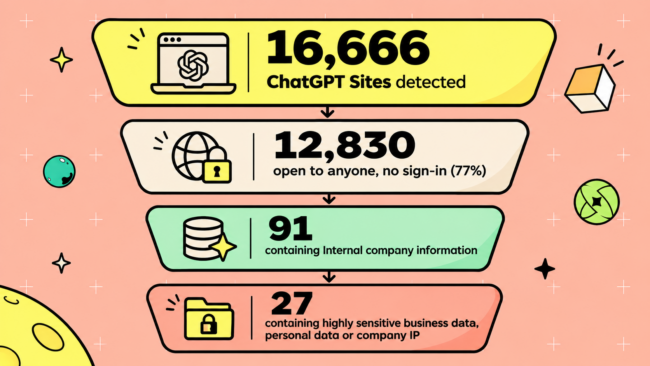
Of all 16,666 sites, 12,830 (77%) served their page to anyone. The other 3,836 asked for sign-in or no longer served a page.
And this is just a small dataset that took us 10 minutes to gather. The actual exposure on the internet is much larger.
A few examples from the 27:
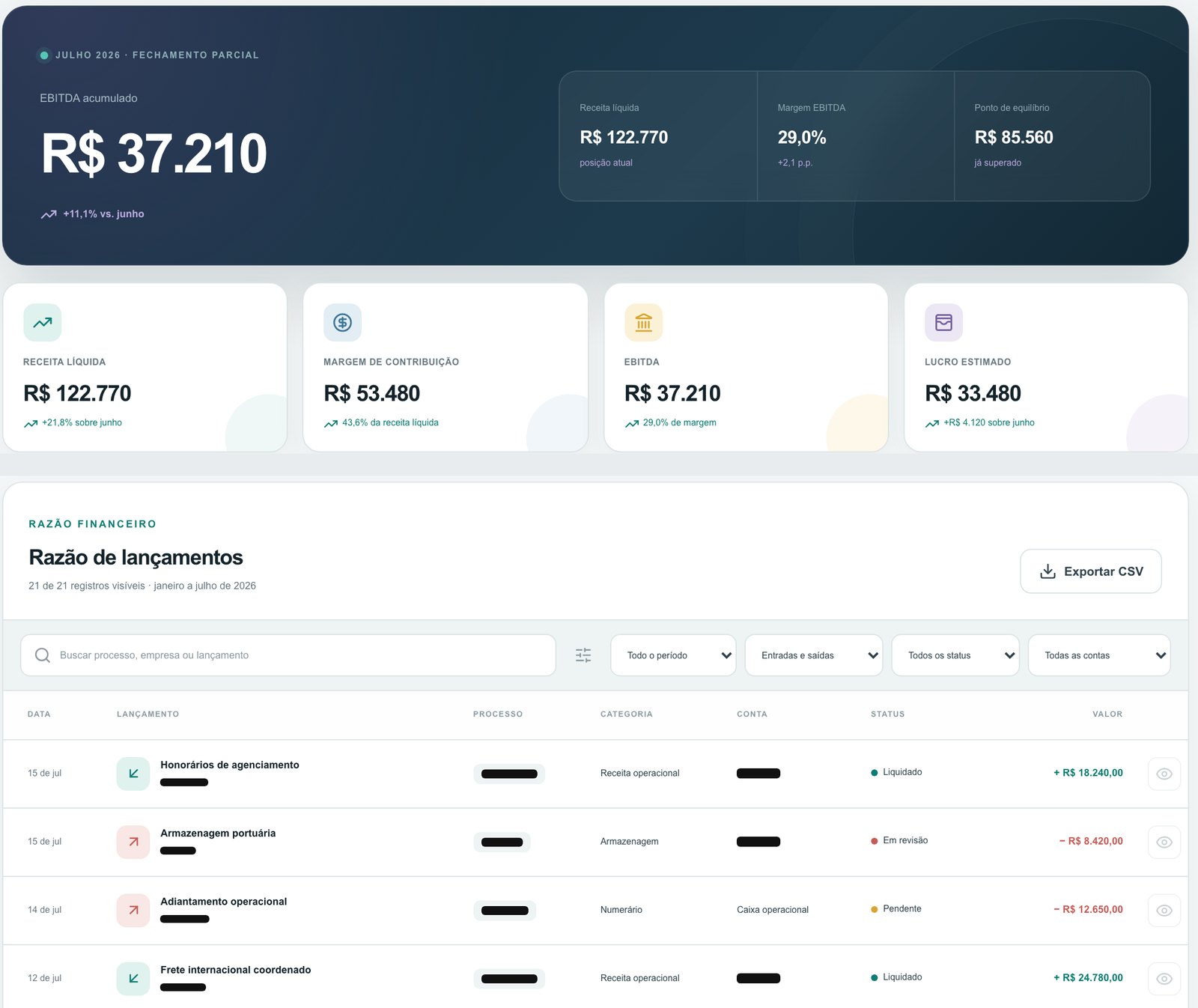
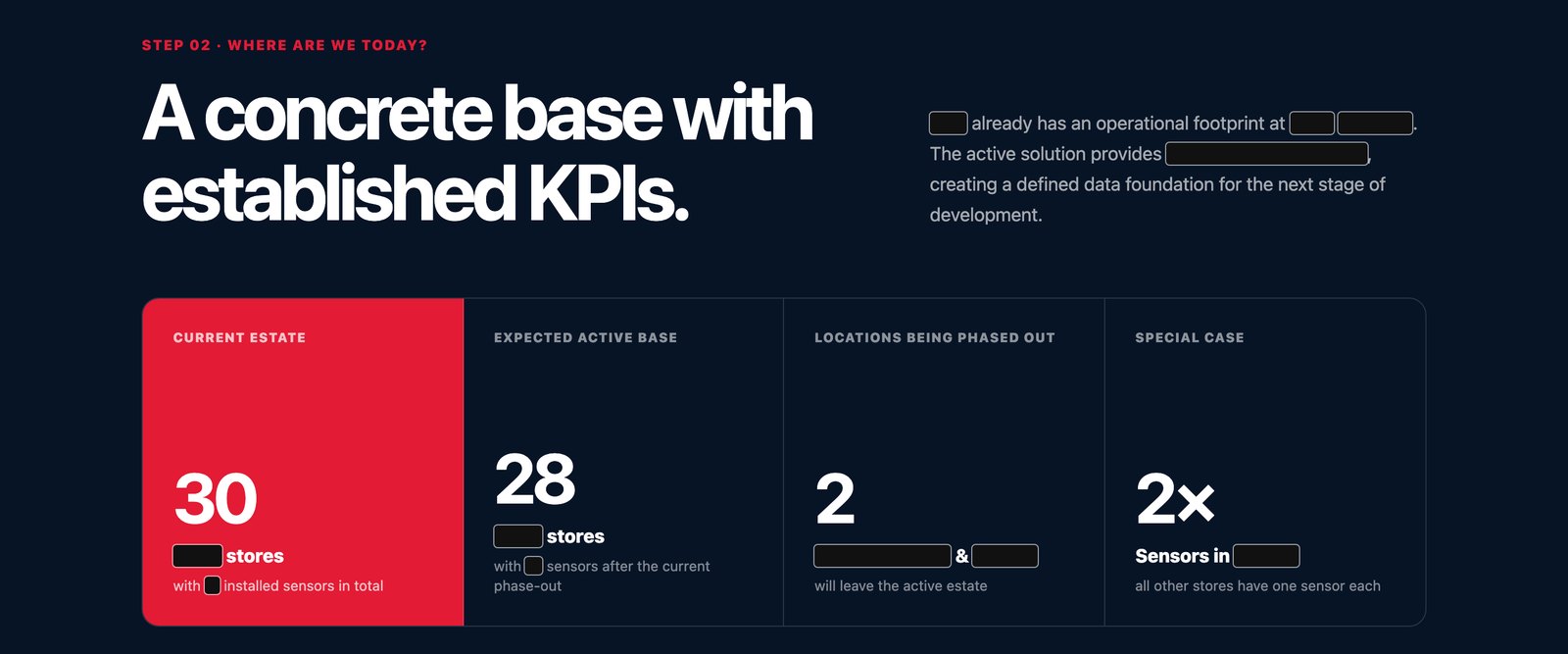
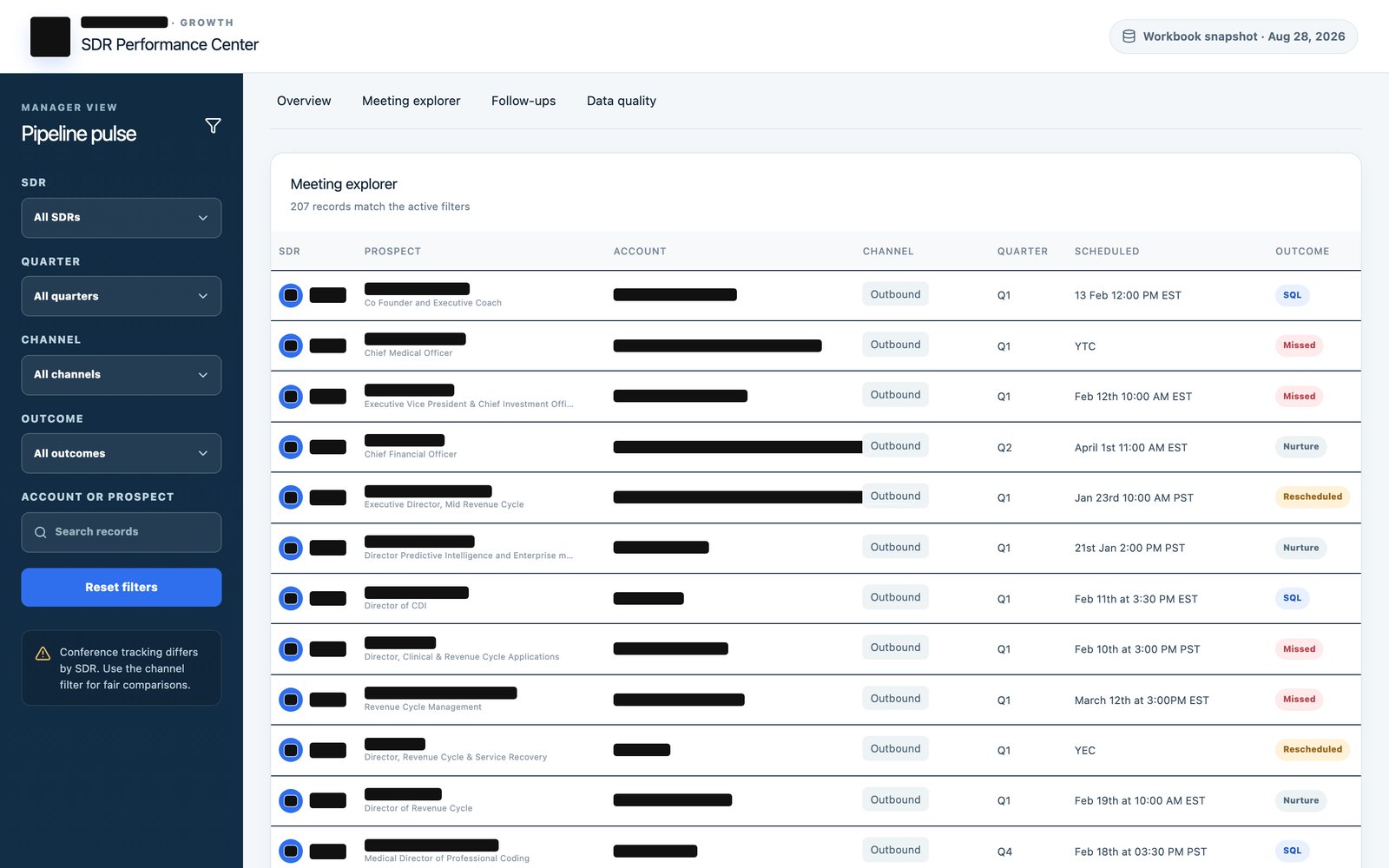
The most sensitive data we found exposed was a fortune 500 company’s sales dashboard, built from the team’s exported tracker. Visible to anyone on the internet, there were:
This data could easily be used by a competitor to go after the same prospects mid-deal, or by an attacker to pose as the sales rep and send a convincing follow-up to an executive who just took the meeting. Following our disclosure, the owner restricted access to the site.
For admins:
For users building applications:
Blocking ChatGPT Sites does not stop people from building apps. It pushes them to the next builder or to a personal account, and slows the teams that were getting real value from it. Pluto gives security teams control without taking the tool away:
Wanna hear more about how Pluto allows teams to adopt AI securely? Contact us.