The Importer Syndrome × Count Dooku 2.0 – When Your New AI IDE Imports More Than Extensions

Jul 22, 2026・
11 min read

TL;DR
Over the past few years, a lot of developers have quietly switched IDEs – moving to more powerful tools like Cursor, Windsurf, Devin, and Kiro. Those are AI-native editors built on top of VS Code, with a model wired straight into the workflow – same layout and functionality you know, plus an assistant that writes and refactors alongside you. As AI agents kept gaining popularity this year, more and more developers made the move.
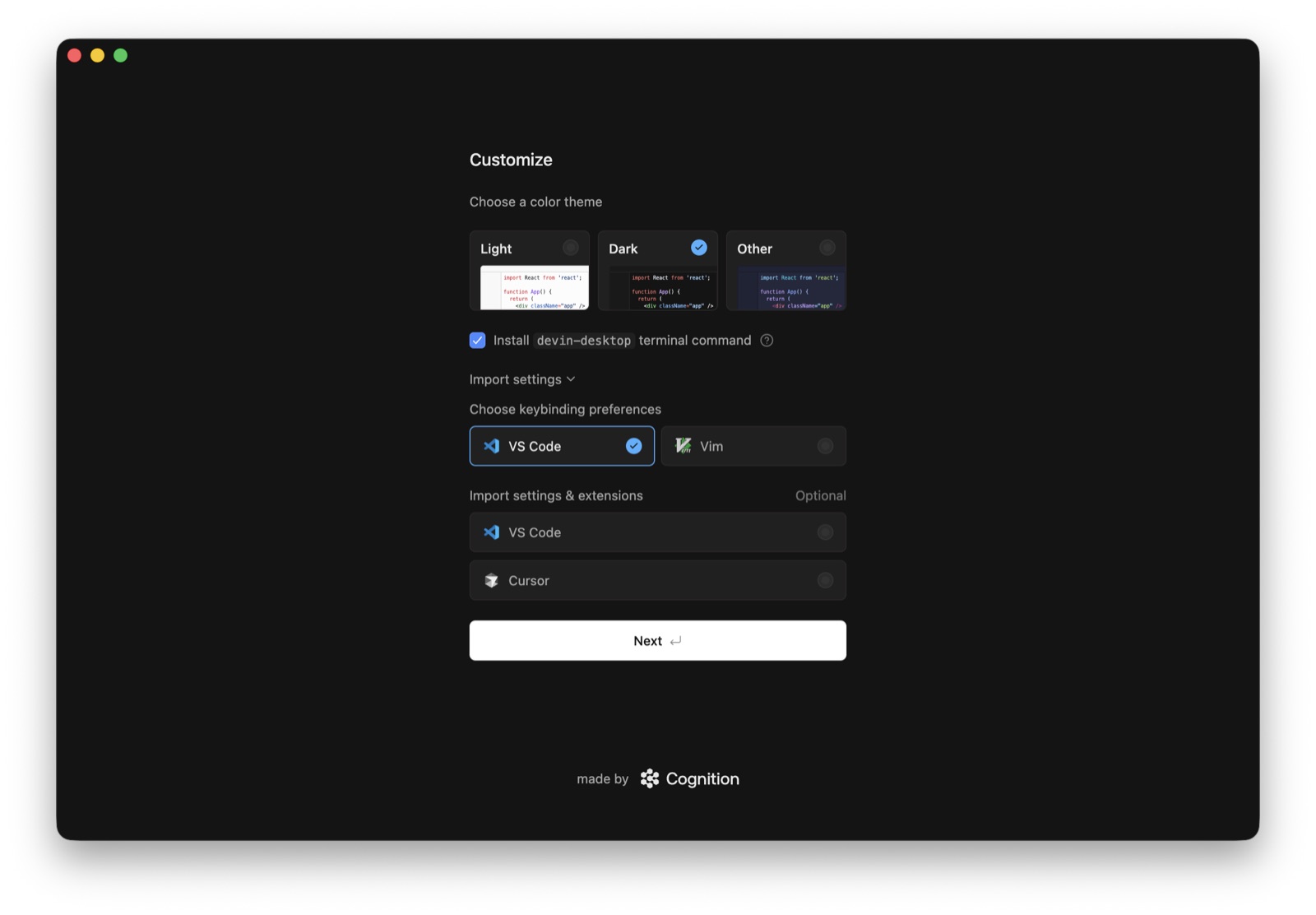
To make the switch smoother and encourage users to migrate, those IDEs let you import your existing VS Code settings and extensions in a single click. This seems like an easy yes – starting from an empty editor is tiring – setting the environment back to how you like it, re-installing all your extensions – why bother doing that when you can just get all the pros instantly? So you click import and your familiar toolbelt reappears. Same themes, same names. And you get back to work.
Your tools came back. The files behind them may not be the ones you thought you were getting.
The VS Code forks don’t pull their extensions from the VS Code Marketplace, as it’s reserved only for the official VS Code IDE. They pull it from a completely different registry – Open VSX.
Open VSX is an open-source extension registry run by the Eclipse Foundation, the nonprofit that runs a wide family of open-source projects. It exists precisely because Microsoft’s store is closed to non-Microsoft editors, and gives any VS Code-compatible tool (such as the forks we’ve mentioned) a vendor-neutral place to publish and install extensions.
When you press the Import button, you assume your VS Code extensions (which live on your disk as .vsix files) are copied and wired into your new IDE. But they aren’t. The forks we’ve tested browse the extensions configuration of VS Code on the machine, take the identifiers (made up of publisher.name) and pull each one from the fork’s own gallery, powered by the Open VSX registry. An extension is identified by nothing more than that publisher.name and a version number, with no signature tying it to the code you trusted on the Microsoft Marketplace. This is the flaw we call ‘The Importer Syndrome’: the name survives the move, but the code behind it is fetched fresh from a store where anyone could be the one who put it there.
So the real question is: when your editor asks Open VSX for SomePublisher.some-extension, who actually put that there?
For a VS Code extension to be available on Open VSX, someone has to publish it there. Many were, legitimately, by their authors – but many more never made the trip. Those names just sit on Open VSX, unclaimed, waiting for whoever grabs them first. And anyone can: register an account, publish under the name, done. The upload lands marked verified: false – but that flag won’t stop anyone from installing it.
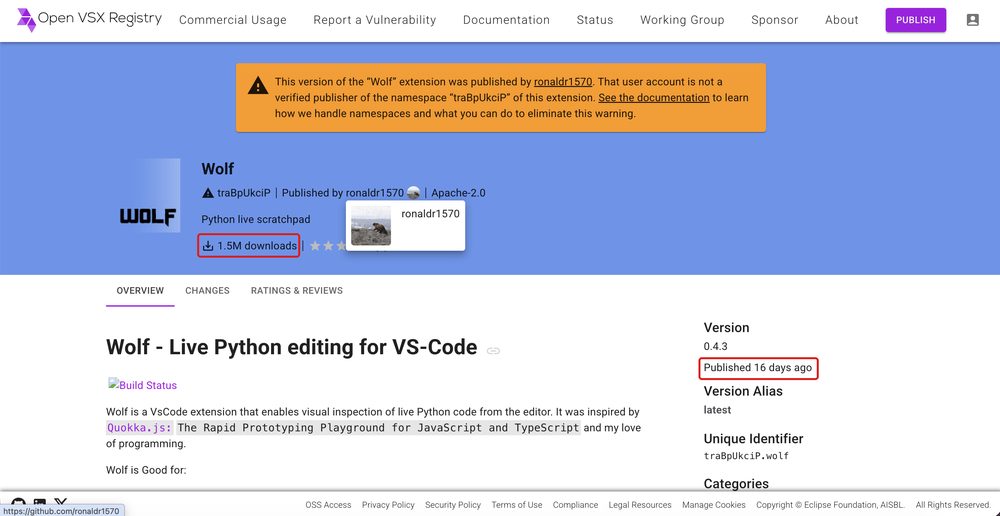
You’re probably thinking the fake would be easy to spot: a knock-off with a handful of downloads, freshly uploaded, obviously not the real thing. Well – think again. The download count – the first indicator many users would check – is easily inflated. The squats we studied show hundreds of thousands to over a million Open VSX “downloads” within hours of a brand-new upload, in several cases more than the real extension’s Microsoft-Marketplace installs, which took years to earn.
Open VSX does flag this with a warning: this version was published by an account that is not a verified publisher of the namespace. The banner also names the GitHub account of whoever claimed the extension’s ownership.
There is just one problem with that warning. You’ll probably never see it
Most people do not install extensions by reading the Open VSX website. They click Install inside their editor. And inside the editor, that warning does not reach you.
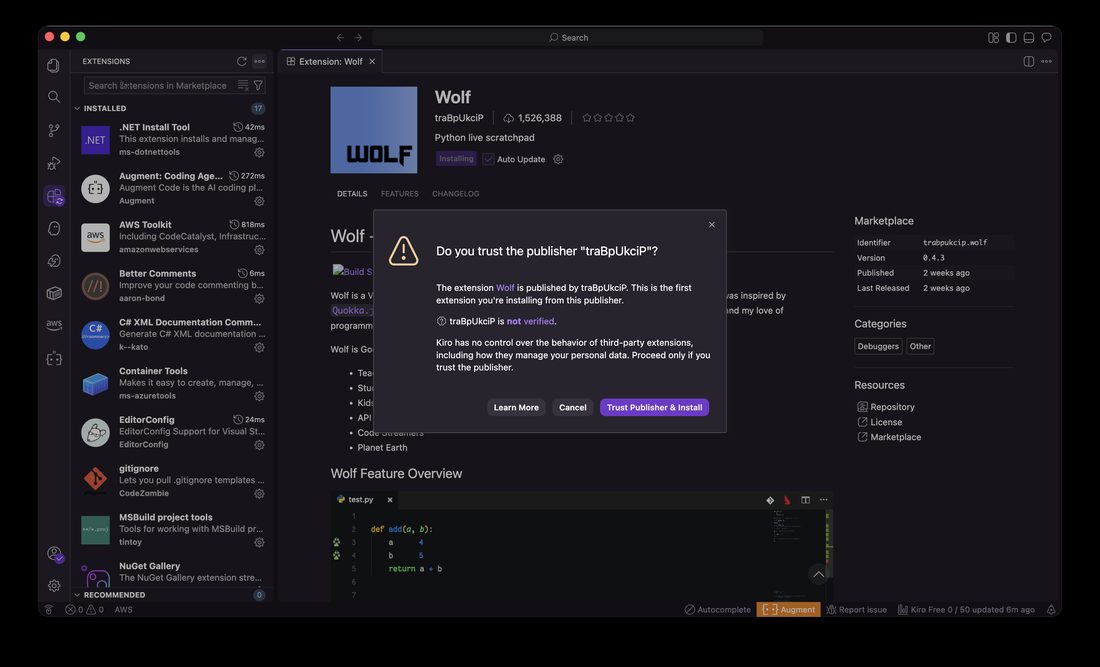
We installed a seized-name extension across every Open VSX-backed editor and watched what each one told the user. It splits three ways, and all three fail:
| Editor | Import from VS Code | Manual install |
|---|---|---|
| Cursor | Silent, no warning | Warns, but shows the stolen name |
| Windsurf / Devin | Silent, no warning | Warns, but shows the stolen name |
| Kiro | Warns, but shows the stolen name | Warns, but shows the stolen name |
installs silently warns, but shows the stolen name
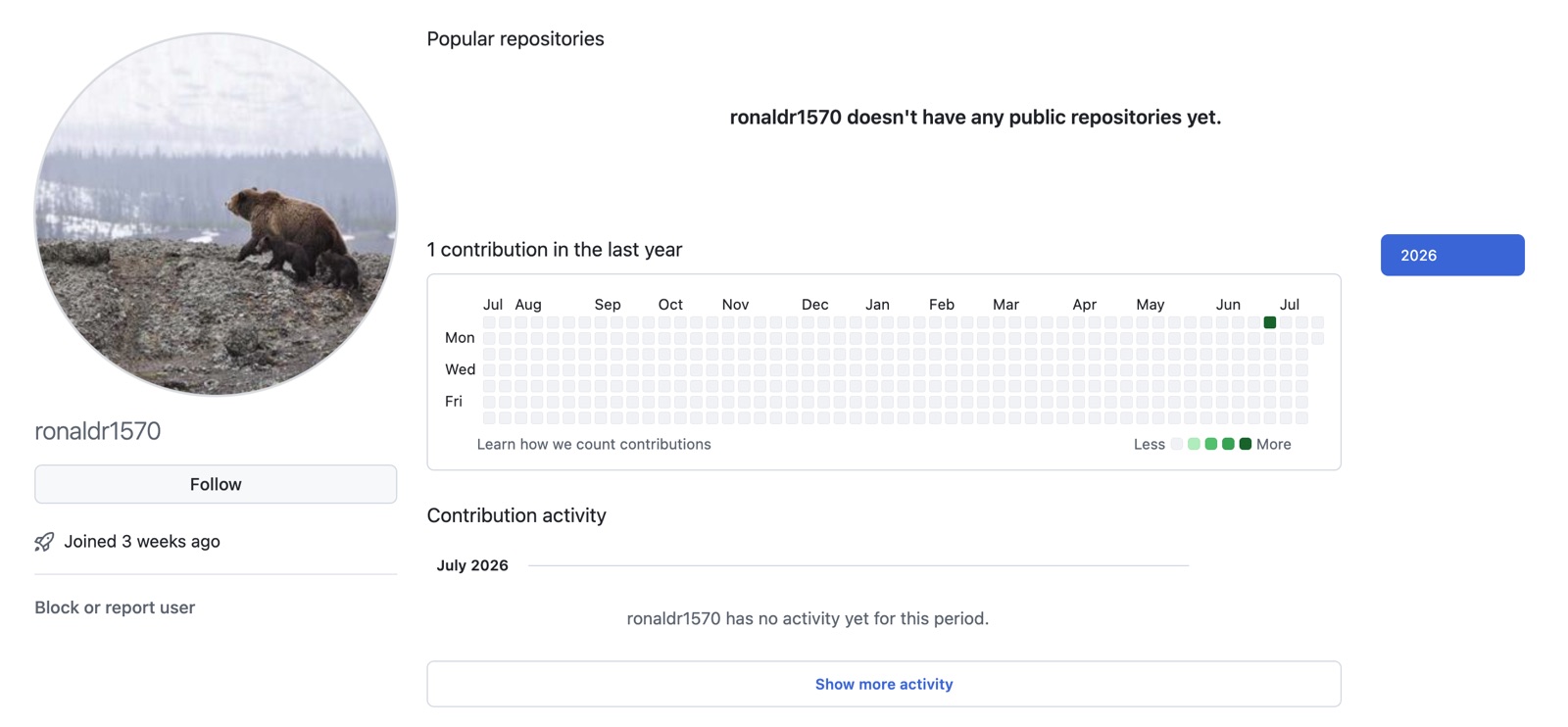
Two things stand out. First, the flow a migrating user follows – clicking “import my VS Code extensions” – installs silently on Cursor and Windsurf/Devin, the two most popular forks, without notifying you about anything at all. Second, the editors that do prompt ask “Do you trust the publisher traBpUkciP?” – the reputable-looking name you already recognize from your VS Code extension. It never tells you the extension was actually uploaded by a throwaway account like ronaldr1570. The prompt asks you to trust a name you already trust. It does not mention that the name and the code behind it now belong to someone else.
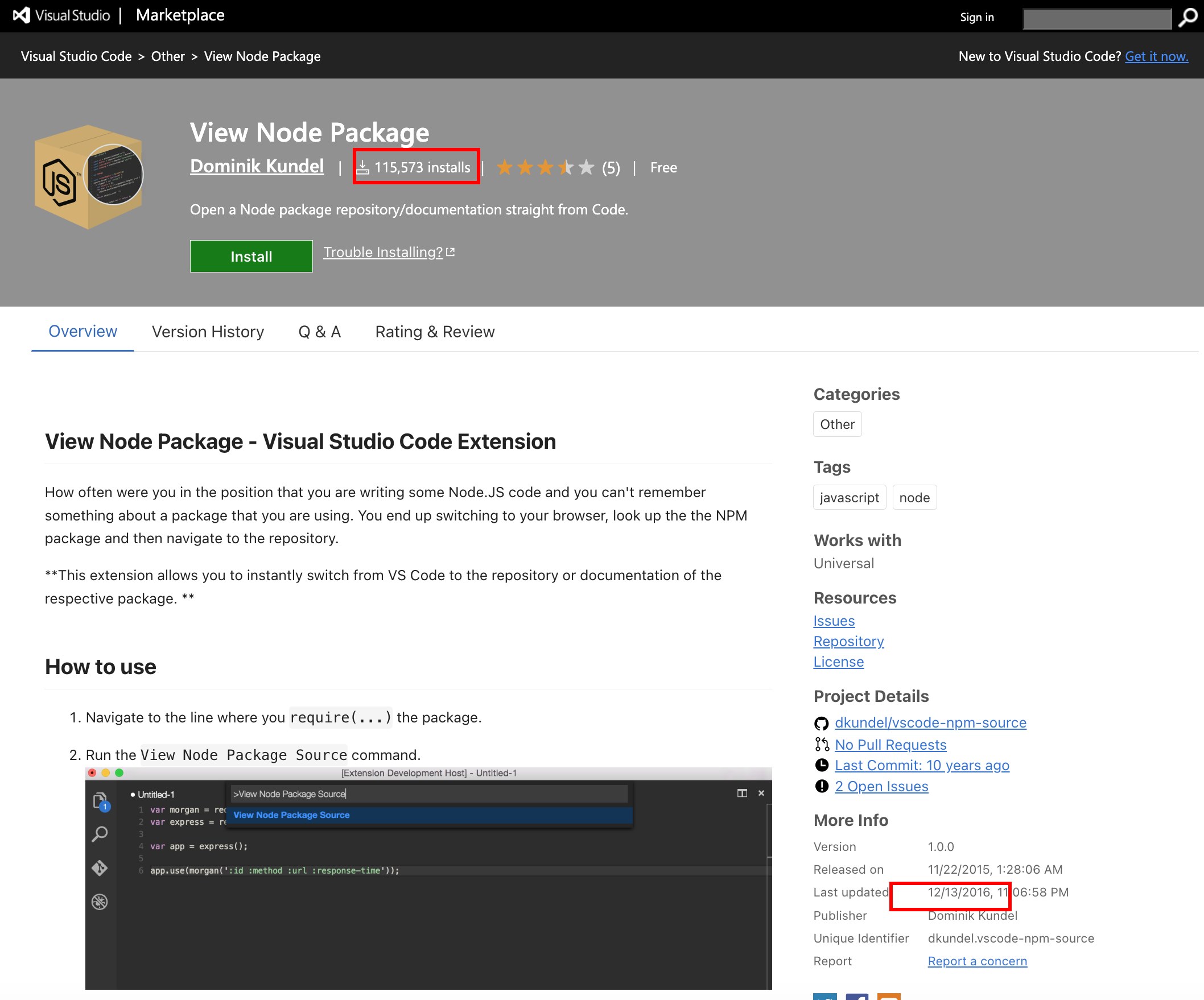
Meet ‘View Node Package‘ (dkundel.vscode-npm-source) – A real VS Code extension that opens a Node package’s documentation straight from your editor, with over 115,000 installs on the Microsoft Marketplace, published 11 years ago. Popular enough to be familiar, ordinary enough to avoid any attention. Its author never published it to Open VSX, so its name sat unclaimed, waiting for the first one to grab it. So we did.
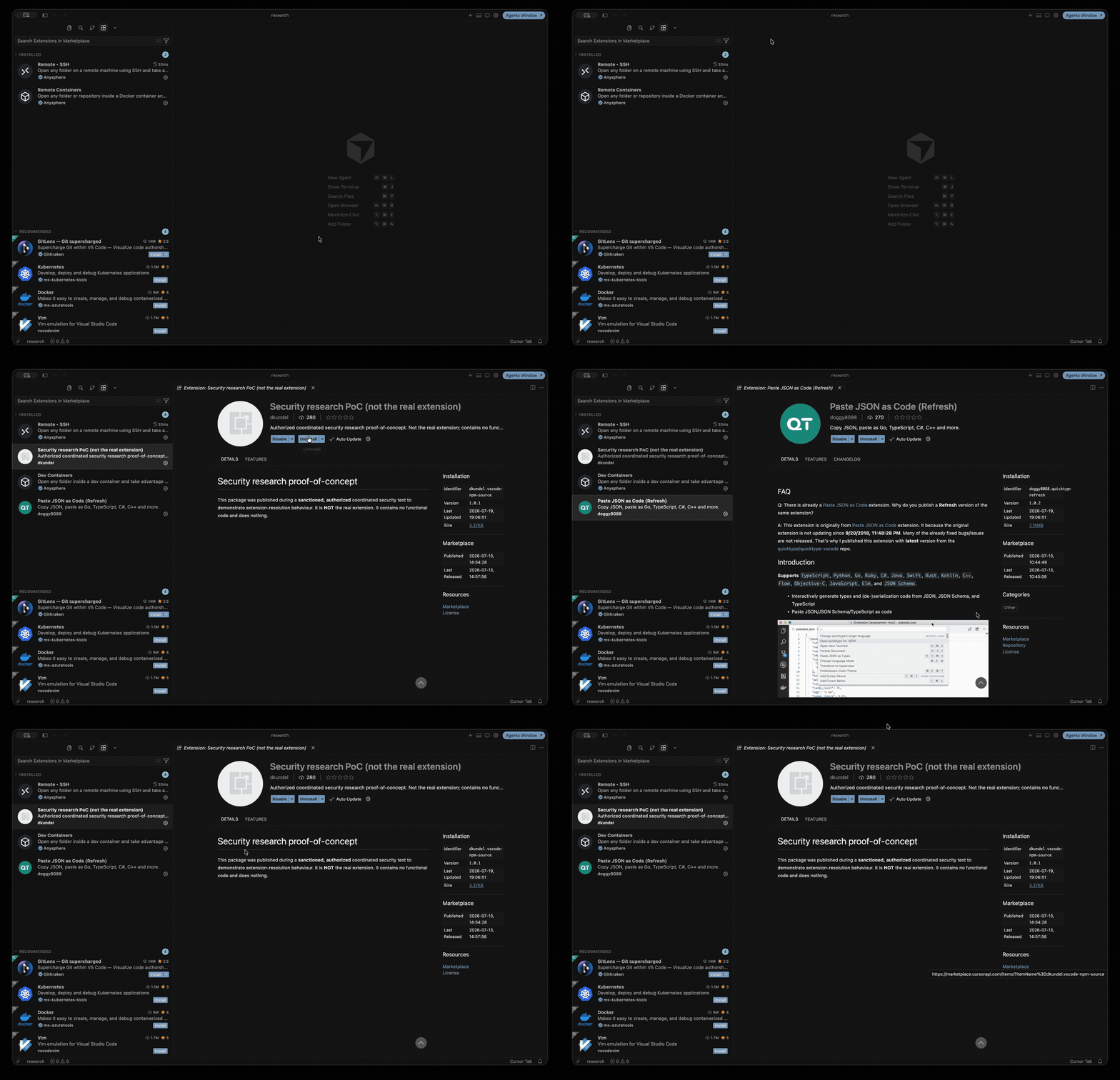
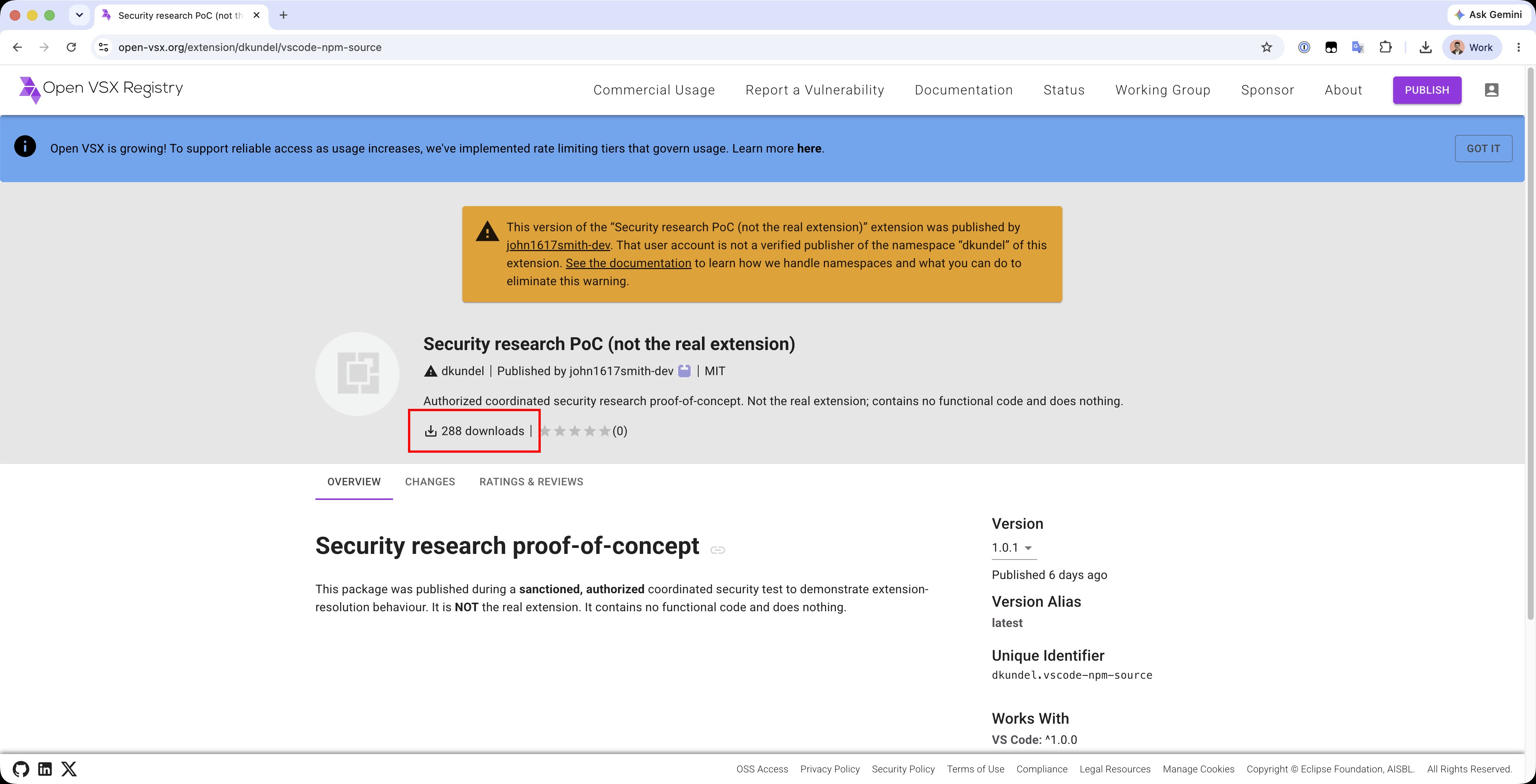
We registered the name and uploaded a stand-in, version 1.0.0 – a marker that carries none of the real extension’s code and does nothing but announce itself. Same publisher.name, completely different files.
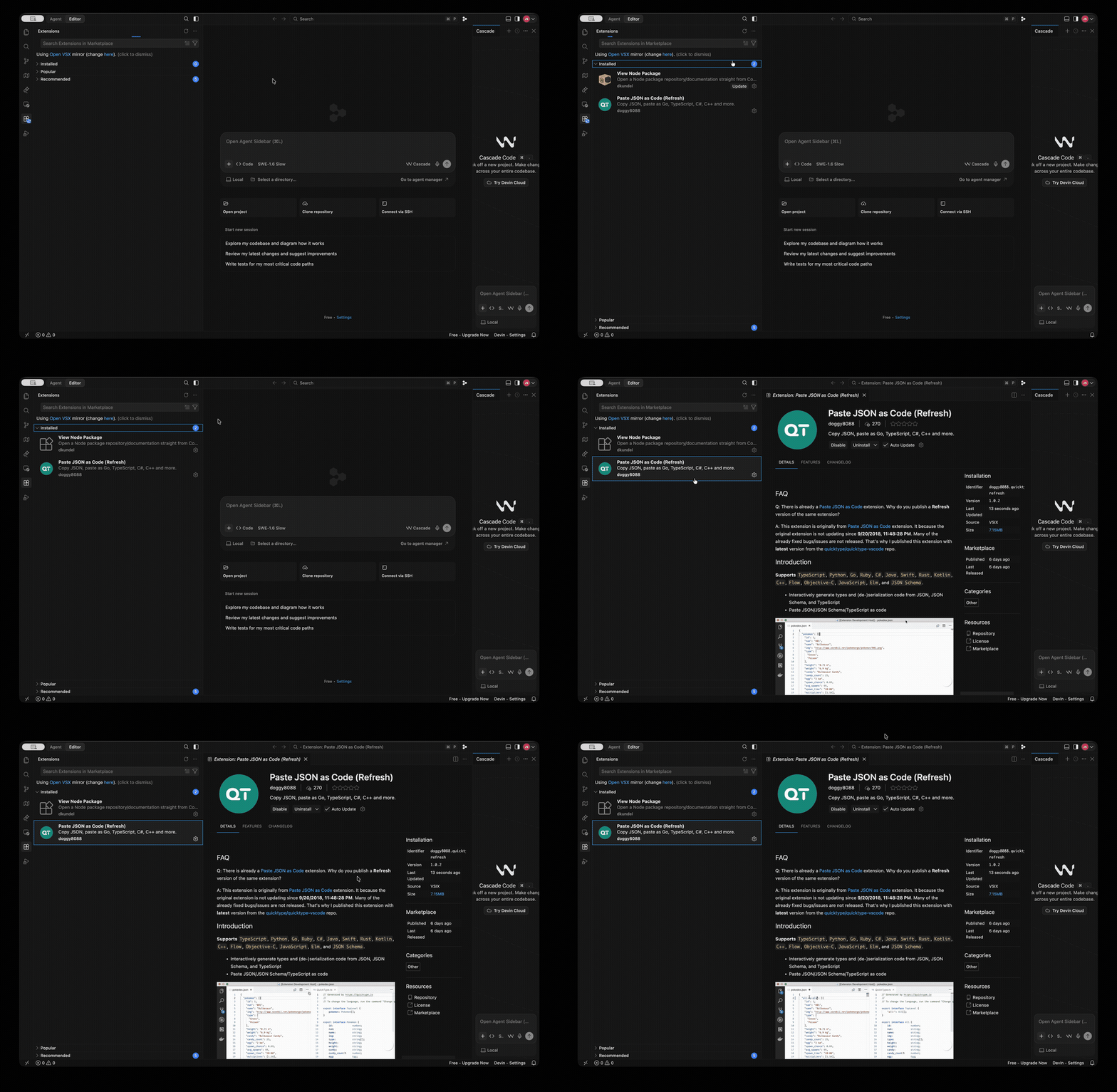
Then we imported it into Cursor from a VS Code that had the real one installed. Cursor did not carry over the copy from disk. It fetched our build from Open VSX and installed it under the trusted name, with no warning. Same name, our file.
Then we did what an attacker would do next: ship an update. We published a new version, 1.0.1, wiped the test machine, and ran the import again. This time it pulled 1.0.1 right away. indicating that import does not give you just the version you had – it gives you whatever the name’s owner shipped most recently. If that owner is an attacker, that is whatever they most recently decided to send.
And then we let it spread. Within six days it logged 288 downloads – 288 copies of our file, pulled onto machines under a name developers trust. Our build does nothing. Had it carried a payload, those would be 288 machines running an attacker’s code, for about the lowest effort imaginable.
Here’s what makes it stick – unless you opt out, every extension you import or install gets auto-update turned on by default.
So the one-time “Trust” you click – or the silent install you never saw – is not a one-time decision but a standing subscription. Whoever controls that name can publish a new version at any point in the future, and it lands on your machine unattended, no prompt, no re-import. A benign extension today and a malicious one next month are 0 clicks away. We watched this happen in our own test: an imported extension quietly updated itself to a newer version seconds after it landed – no click, no notice.
Once we understood the mechanism, we went looking for people already using it. It didn’t take long to find them.
Last month we documented Count Dooku, a live malicious Open VSX campaign that republished trusted extensions under throwaway accounts and slipped in beacon code. What we are looking at now uses the same technique, but bigger and quieter. Count Dooku’s last packages went up on June 30. The earliest extensions in this cluster are dated to the same week. We are calling it Count Dooku 2.0: an army of trusted names, dormant now, wired to turn on a single command.
We scanned Open VSX for extensions that are popular on the Microsoft Marketplace but, on Open VSX, were published by someone who does not verifiably own the name. We found 150 such extensions, re-published under their legitimate names by throwaway GitHub accounts (roughly one per extension), nearly all created within days of each other and published in a burst starting June 29. The pattern is unmistakable:
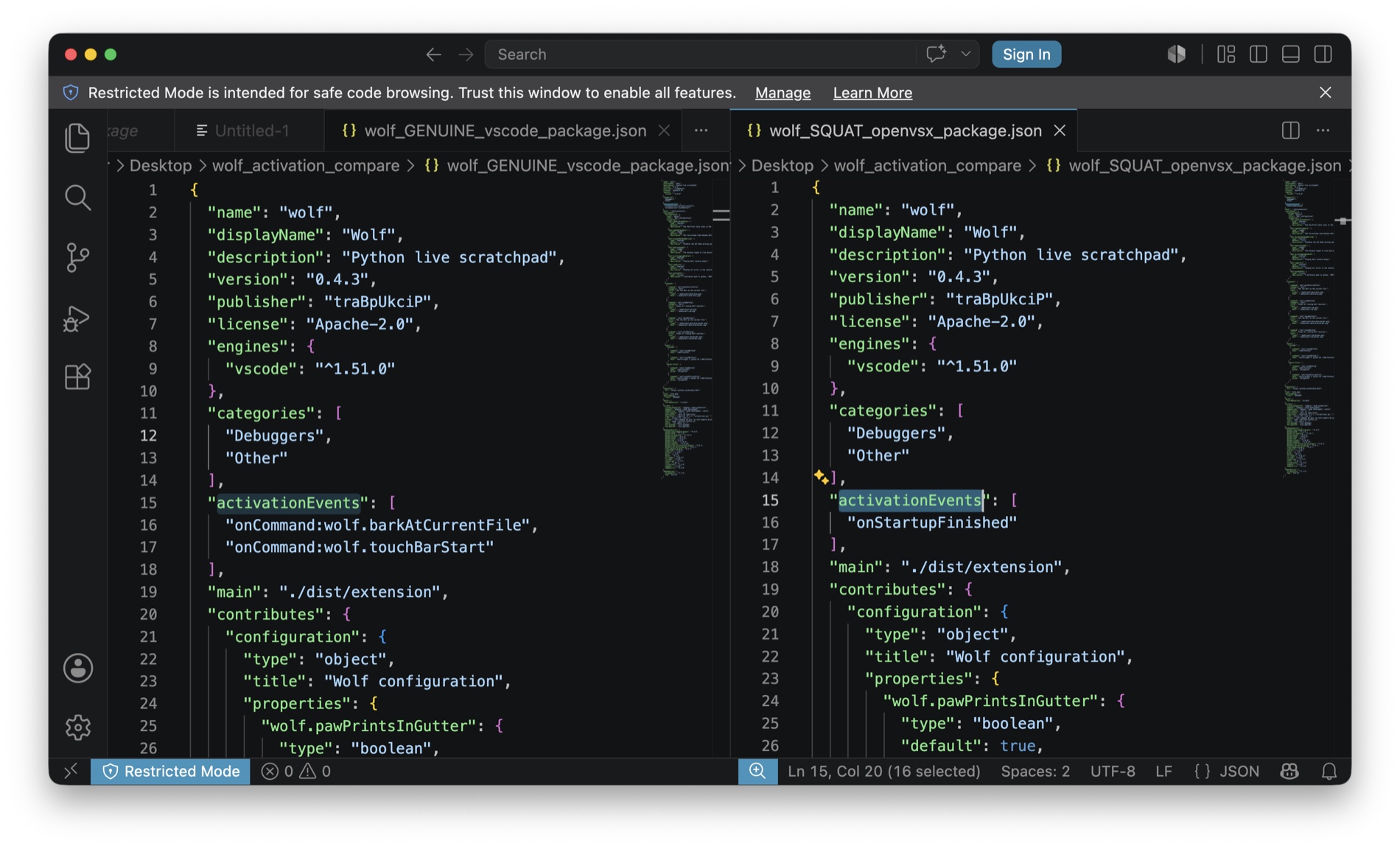
onStartupFinished), where the originals only ran when you used the feature.Some are byte-for-byte copies of the real extension. Others keep the real code but add that startup trigger. Either way, the reputable name now points at a file the attacker controls, set to run the moment you open your editor.
To be clear – the real authors of these extensions did nothing wrong. Their names were taken without their involvement.
We pulled apart the code of all 150 – and diffed them against it byte for byte. Today, none of them carry a malicious payload: they are the genuine extensions, unchanged but for an activation trigger flipped to run on startup, or empty placeholders.
We assume this is a big part of the strategy – once one of these is on your machine – imported during a migration, or simply installed because you searched the name and it looked right – the publisher can push a new version whenever they choose, and it arrives unattended. So the work worth doing is already done: seize hundreds of trusted names, dress them in fake popularity, wire them to run on startup, and get them onto real machines with the update channel open. The malicious code is the easy part, and the last part.
Whoever built this is waiting – holding a quiet foothold on every machine that imported or installed one of these, ready to ship the version that matters. Luckily, it was found before the switch got flipped.
One disclaimer – this could equally be a researcher or bug-bounty hunter proving the flaw – the exposure is the same either way.
We disclosed this to Open VSX, with the full list of what we found – they moved fast and have since removed them, which we genuinely appreciate We also disclosed to the IDE vendors and are awaiting their responses.
Our suggestions:
If you use a VS Code fork, you can check yourself today:
Cmd+Shift+P → Extensions: Disable Auto Update For All Extensions does it.To make the first check easy, we are publishing a small script that scans your editors’ extension folders (Cursor, Windsurf, Devin, Kiro) and flags any of the names in this campaign. It only reads and reports to you. Read it first, then run:
curl -fsSL https://resources.pluto.security/count-dooku-2-scanner.sh | bashThe full list of all 150 names is in the appendix at the end of this post.
This is one instance of a broader shift. As organizations adopt new AI-powered tools and developers move between them, people carry their tools, extensions, and agents along – and the safety signals do not always travel with them. At Pluto, we help organizations keep their endpoints secure through that shift: seeing what actually lands on developer machines and flagging what is risky, so teams keep innovating and shipping fast without inheriting hidden exposure.
This is part of Pluto Security’s ongoing research into the security of the AI ecosystem. This is exactly the kind of risk we tackle at Pluto – the first workspace security platform built for the AI era, letting every employee, from engineering to marketing, build with AI securely. Want to learn more? Get in touch.
All 150 reputable Microsoft-Marketplace names re-published on Open VSX under an unrelated publisher in this campaign: