Introducing CopilotSec: A Community Knowledge Hub for Security of The Microsoft AI Ecosystem
May 26, 2026・
5 min read

The Microsoft AI ecosystem has expanded faster than the practical security guidance around it. Copilot Studio gives any citizen developer a citizen-grade path from idea to published agent in an afternoon. M365 Copilot has become the connective tissue between Office documents, mailboxes, and SharePoint. Azure AI Foundry brings raw model APIs and managed agent infrastructure together at the platform layer. Declarative agents bridge Copilot Studio and M365 Copilot. Connected MCP servers, connected subagents, HTTP topics, knowledge sources, and Computer Use stitch all of this together with a maker-driven configuration surface that mostly defaults to permissive.
The result is the same shape we’ve seen across other AI ecosystems: the capability curve is real, adoption is widespread, and the security guidance available to practitioners is patchy. Microsoft publishes thorough product documentation. What’s harder to find is the consolidated, hands-on, “here is what actually happens at runtime and here is what you should do about it” view that platform-security teams need before shipping in production.
Today we’re launching copilotsec.ai to address that gap.
copilotsec.ai is a free, practitioner-oriented security hub focused on one question: how do you use Microsoft’s AI ecosystem safely?
It is the Microsoft counterpart to our existing ClaudeSec hub for the Claude ecosystem, and it reflects the same editorial principle – the security work has to be hands-on to be useful. Every recommendation we publish on copilotsec.ai is grounded in research we conducted against the live platform, with reproducible methodology and concrete audit queries.
The Microsoft AI ecosystem is structurally different from Anthropic’s. Where Claude’s connector model puts the user at the trust boundary – the user chooses which extension to install – Microsoft’s model puts the maker at that boundary. A citizen developer who creates a Copilot Studio agent decides which HTTP endpoints to call, which MCP servers to trust, which subagents to connect, which knowledge sources to ground on. The end user, who eventually chats with the agent, inherits all those decisions without seeing them. That asymmetry shapes everything about how to secure these systems, and a lot of our research is about making the maker’s decisions visible and auditable.
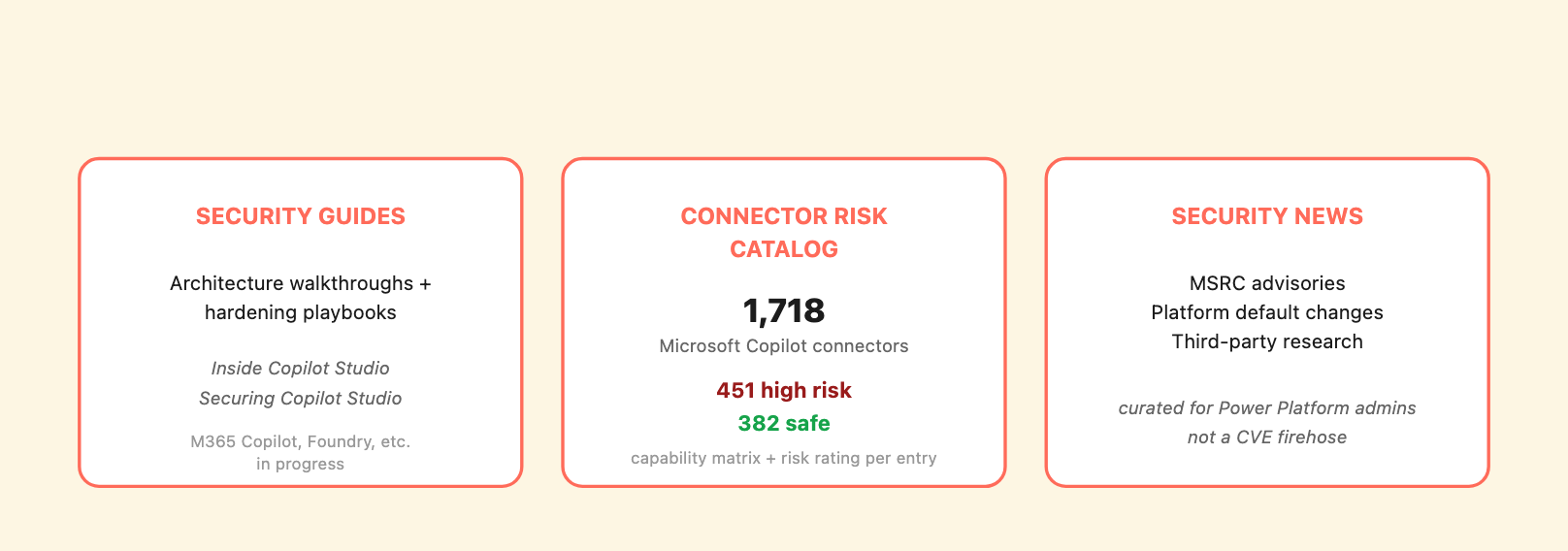
The three components of copilotsec.ai at launch.
Security guides. Two are live at launch:
Both are written for security-aware engineers and admins who actually have to ship Copilot Studio in production, not for casual users. The first establishes the threat model; the second tells you what to do about it.
Guides for M365 Copilot, Azure AI Foundry, declarative agents, and the bridge surfaces between them are in progress. As they land they’ll appear on copilotsec.ai alongside the Copilot Studio guides.
The connector risk catalog. At launch, copilotsec.ai tracks the connectors a Copilot Studio maker can pull into an agent – Power Platform connectors, MCP servers, plugins, and the broader extensibility surface. Each entry is scored on capability-driven risk:
Each connector entry includes a capability matrix (Runs Shell Commands / Reads-Writes Files / Calls External APIs / Queries Databases / Controls Browser / Sends Messages as User / Handles Payments-Billing / Deploys Code-Infra / Accesses Private Data / Can Delete Resources / Tracks Usage-Telemetry / Built by Microsoft), a risk rating, and the rationale – including source-code review findings where it matters. The catalog is what you check before approving a connector for a sensitive-data agent, and what you grep when you need a quick read on whether a vendor’s claim of “lightweight integration” maps to “unrestricted shell access” in implementation.
Take IA-Connect Dynamic Code as an example. It’s rated HIGH in the catalog – a Power Platform connector by Ultima Business with 50 permissions and a callable Run PowerShell script action exposed to any Copilot or Power Automate flow the maker wires it into. The same vendor’s IA-Connect JML connector adds dedicated Run Active Directory PowerShell script, Run Azure AD PowerShell script, and Run Exchange PowerShell script actions. Attaching either of these to a Copilot Studio agent is, functionally, “give Copilot a PowerShell prompt against your tenant.”
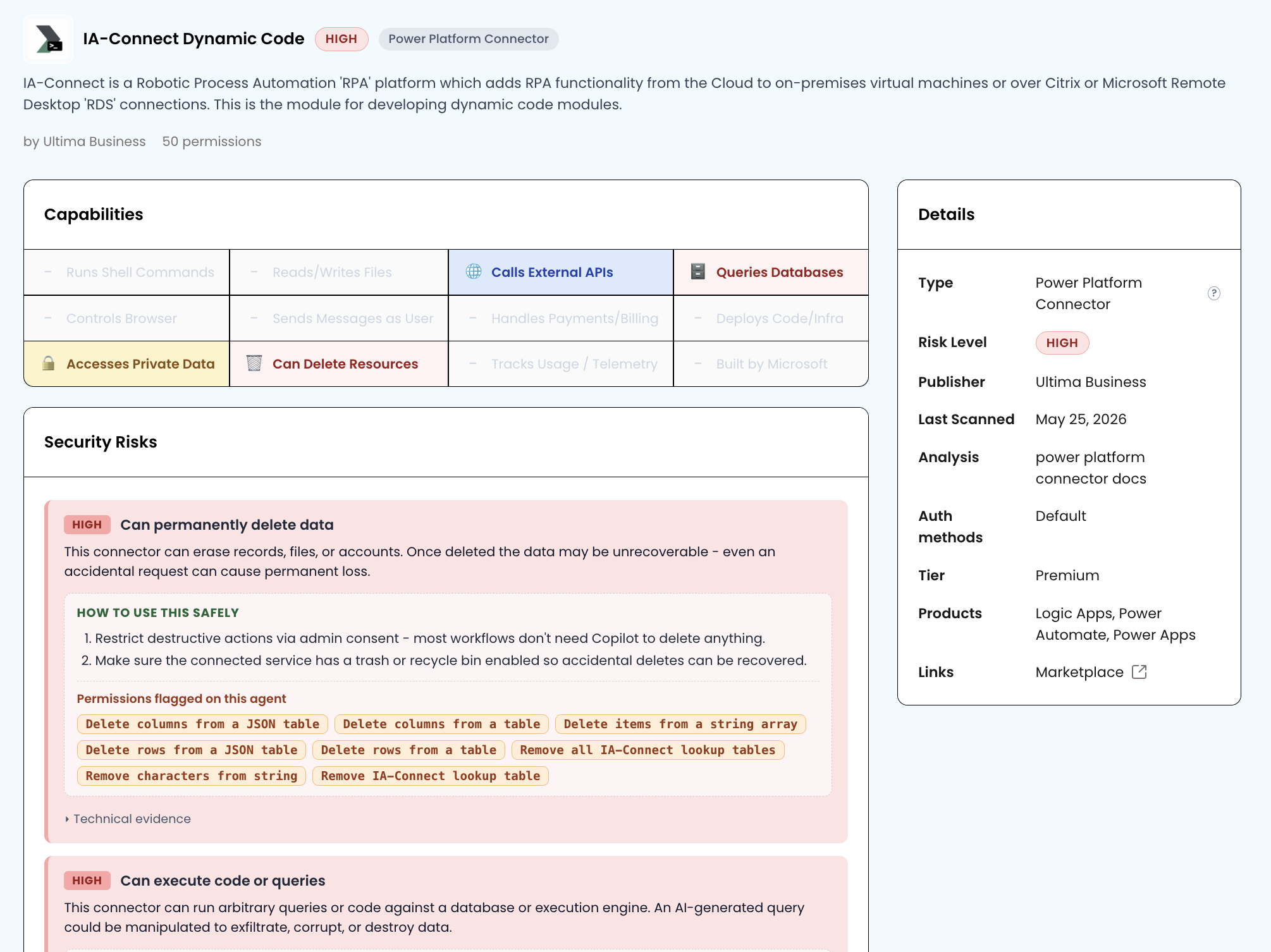
This connector is the catalog’s textbook illustration of Simon Willison’s “lethal trifecta” – the three properties whose combination turns an AI agent from useful into dangerous: access to private data, exposure to untrusted content, and the ability to externally communicate or take consequential action. A Copilot Studio agent wired to IA-Connect Dynamic Code can hit all three at once. Private data comes through the standard Copilot context (Dataverse, SharePoint, knowledge sources, connected tenant systems). Untrusted content reaches the orchestrator through the supply-chain channels we walk through in Inside Copilot Studio – HTTP topic responses, connected subagent Instructions, MCP tool descriptions, knowledge sources. The consequential-action leg here is PowerShell against your tenant directory. A prompt injection that lands at any of those input channels can route to Run PowerShell script – and the result runs with whatever identity the connector authenticated as, not as the agent’s caller. That is remote code execution against Azure AD, triggered by content the agent was designed to read.
The catalog exists to flag connectors like this up front, before a maker pulls one into an agent without thinking through what it can do.
Microsoft AI security news. Vulnerabilities, advisories, and platform-level changes that affect the ecosystem land in a curated feed – MSRC advisories that touch Copilot Studio, Power Platform, or M365 Copilot; Microsoft’s own security updates that change defaults or shipping behavior; relevant third-party research. The signal-to-noise focus is “things a Power Platform admin should know about this week,” not a generic CVE firehose.
The site consolidates research we’ve been publishing for the Microsoft AI ecosystem in one place. Posts that previously lived on the main Pluto Security blog migrate or cross-link to copilotsec.ai over time. New work appears here first.
We continue to operate the main Pluto Security blog for cross-ecosystem research and for posts that touch multiple platforms. copilotsec.ai is the Microsoft-specific surface; ClaudeSec is the Anthropic-specific surface. The editorial standards are the same on both.
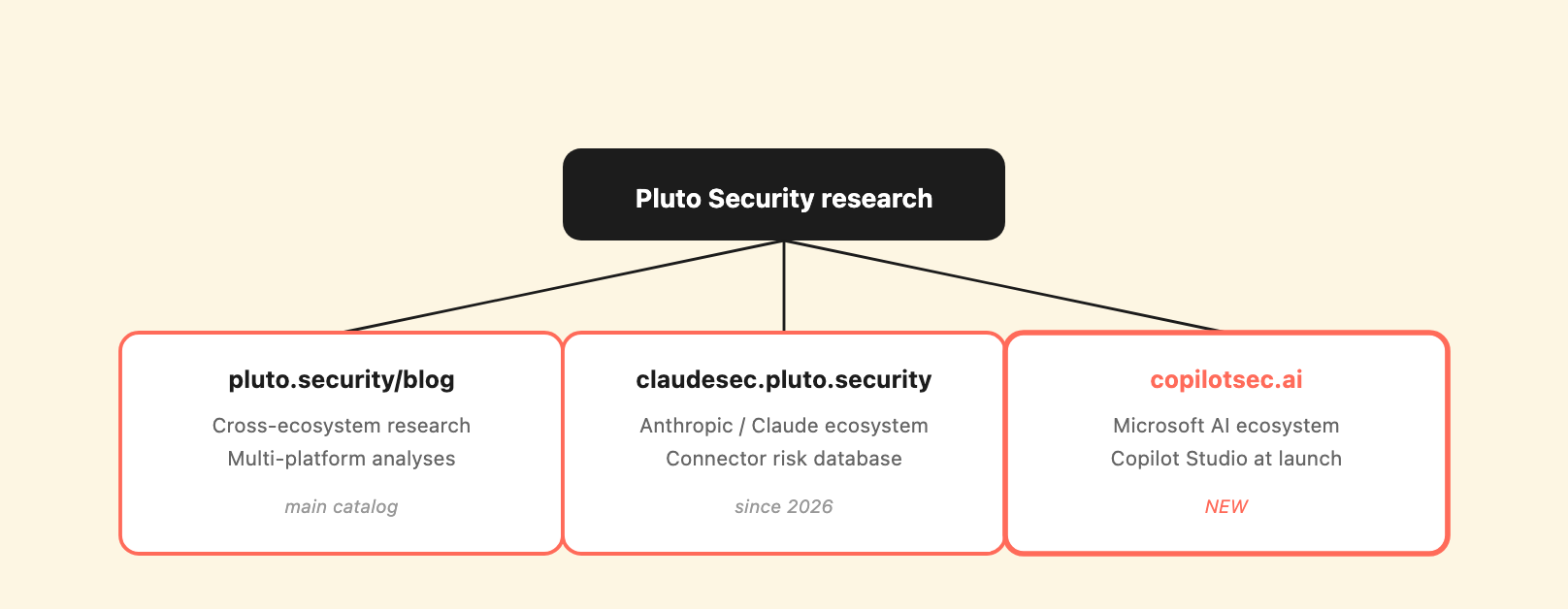
Pluto Security’s three research hubs – main cross-ecosystem blog, ClaudeSec for Anthropic, and now copilotsec.ai for Microsoft.
copilotsec.ai is launching with two guides, a connector risk catalog of 1,718 entries, and a news feed. The roadmap from here:
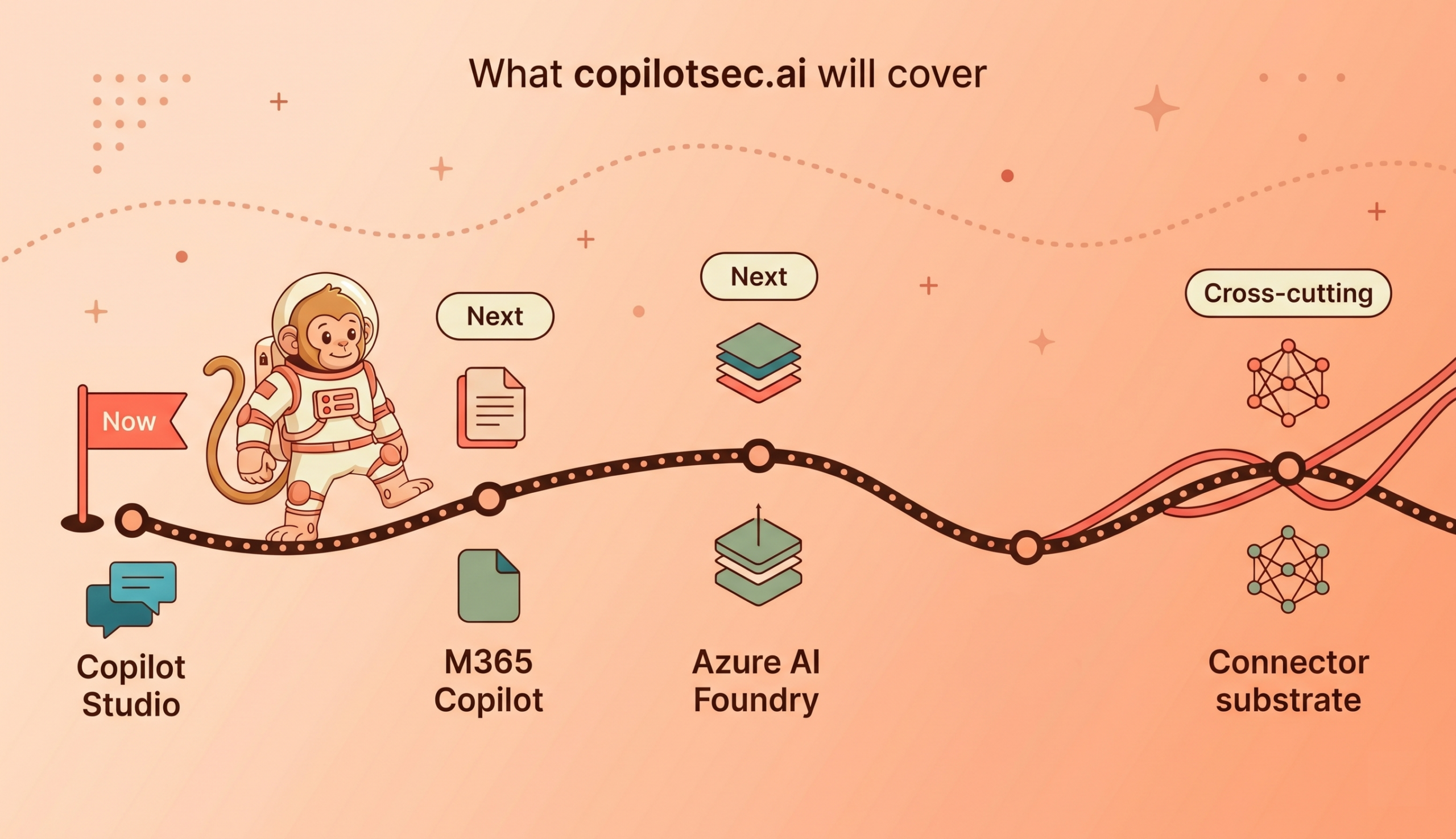
The goal is the same as on ClaudeSec: a practitioner-grade reference that helps the security community actually understand what’s running in their tenants and what to do about it.
If you build or operate Microsoft AI deployments and want new analyses, guides, and incident write-ups as we publish them, subscribe at copilotsec.ai. We send research updates – not marketing.
If you have questions about a specific deployment scenario, want to discuss findings from this research in more detail, or have a Copilot Studio / Microsoft AI ecosystem surface you’d like us to look at, do reach out to us at contact@pluto.security.
copilotsec.ai is part of Pluto Security’s broader AI ecosystem security work. For the Anthropic side, see ClaudeSec. For our main research catalog, see pluto.security/blog.