
Browser extensions look small, but they often sit close to sensitive work. They can read pages, modify web content, access cookies, monitor user activity, and connect to external services. That makes browser extension security important for any company where employees use SaaS apps, AI tools, cloud consoles, CRM systems, or internal dashboards through the browser.
The risk is not only about obviously malicious browser extensions. A seemingly normal productivity tool can become risky if it requests broad extension permissions, sends data to unknown domains, or changes its behavior after an update.
What Is Browser Extension Security?
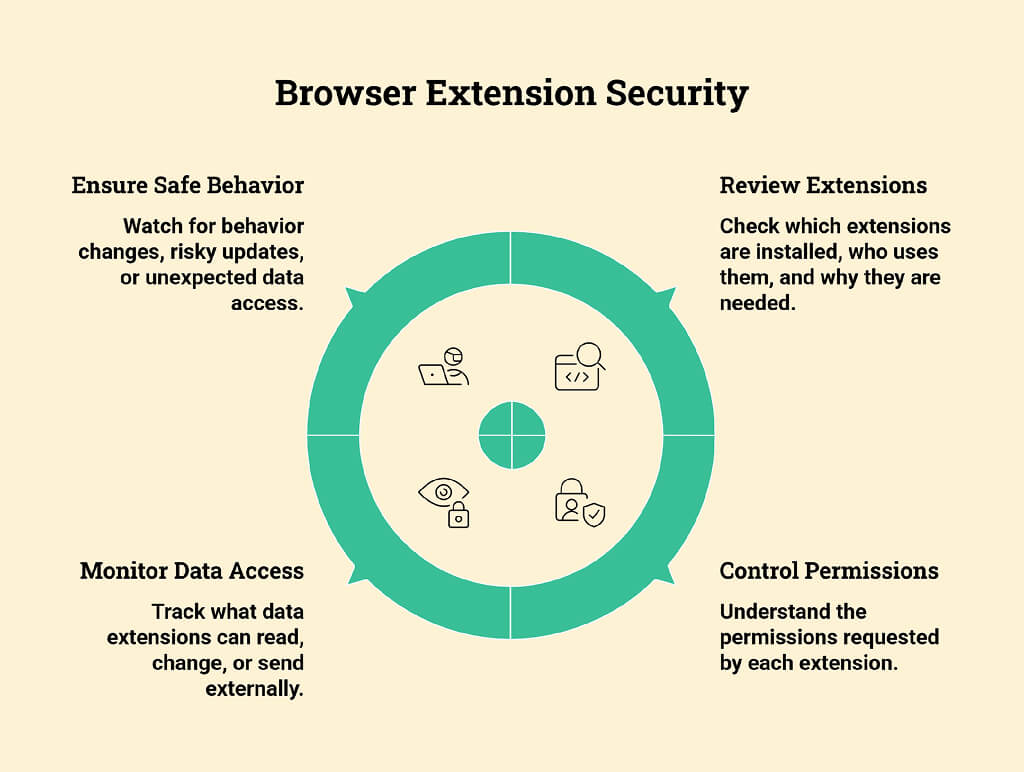
Browser extension security is the practice of reviewing, controlling, and monitoring browser extensions used within an organization. It examines which extensions are installed, what permissions they request, what data they can access, and whether they behave safely over time.
For enterprise teams, this is part of enterprise browser security. The browser is now where employees access email, customer records, code tools, ticketing systems, AI chatbots, and finance platforms. If an extension can see or modify those sessions, it becomes part of the security boundary.
Why Browser Extensions Are a Growing Attack Surface
A browser extension can be useful. Password managers, ad blockers, grammar tools, meeting tools, and developer utilities all save time. The problem is access.
Many extensions run in the same browser employees use to handle company data. Some request permission to read and modify data on every website. Others can access tabs, clipboard content, browsing history, cookies, or page content. Google’s Chrome Enterprise extension permission guidance also underscores why admins need to review permissions carefully before allowing installation.
This creates a quiet attack surface. It does not always look like malware. Sometimes it looks like a helpful add-on.
How Malicious Extensions Compromise Enterprise Environments
Malicious browser extensions usually work by blending in. They may copy the name or design of a popular tool, offer a useful feature, then collect data in the background.
Common attack paths include:
- Reading sensitive SaaS pages
- Stealing session cookies or tokens
- Capturing form inputs and credentials
- Injecting scripts into trusted websites
- Redirecting users to attacker-controlled pages
- Sending browser data to external servers
Recent extension campaigns, including research discussed by Astrix Security, show that extensions can behave like powerful integrations. That is the real issue. Once installed, they may have long-term access to business workflows.
What Makes a Browser Extension Risky
A risky extension is not always clearly malicious. Sometimes the risk stems from excessive access, weak maintenance, or unclear ownership.
Permissions include the ability to read pages, modify web content, access cookies, observe user activity, and connect to external services. These permissions are usually the first place to look. An extension that can read and change data on every website should not be treated as harmless. That access may be needed for a few security tools or developer tools, but it is too broad for a simple note-taking tool, theme, coupon finder, or page helper.
Other risk signals include:
- Unknown or recently changed publisher
- Low install count but broad permissions
- The privacy policy is lacking, or no clear data handling
- Sudden permission changes after an update
- Extension behavior that does not match its stated purpose
- Use on unmanaged browsers or personal profiles
Context matters here. A developer extension used by an engineering team may need more access than a simple theme extension. But that access should still be justified.
How Organizations Can Manage and Secure Browser Extensions
Organizations do not need to block every extension. Doing so usually creates frustration and workarounds. A better approach is controlled use.
Start with inventory. Security teams need to know which extensions are installed across managed browsers, which users have them, and what permissions they request. Then classify extensions by business need, publisher trust, permission level, and data exposure.
A practical browser extension security program should include:
- An approved extension list
- Blocking for high-risk permissions
- Review before installation
- Monitoring for permission changes
- Removal of unused or abandoned extensions
- Separate rules for personal and work browser profiles
- Extra review for AI extensions and developer tools
Enterprise browser security should also connect to broader AI security work. Many AI tools now appear as browser extensions, coding assistants, meeting helpers, and workflow add-ons. Platforms such as Pluto Security can help security teams understand how AI tools are used across employee workspaces and apply guardrails before risky behavior becomes a data-exposure problem.
The main point is visibility. Security teams cannot manage what they cannot see. Once extension usage is visible, policies can become more realistic: approve what the business needs, restrict what is too broad, and monitor for changes over time.
Final Thoughts
Browser extensions are easy to ignore because they feel like small browser add-ons. In a company, they can sit very close to SaaS apps, AI tools, customer data, and internal systems. Security teams do not need to block every extension, but they do need visibility. Check the permissions, understand why the extension is needed, and remove anything that adds risk without a good business reason.
FAQ
Are browser extensions a significant threat to enterprise security?
Yes, especially in companies where most of the work happens within SaaS applications. A browser extension may sit atop email, CRM tools, admin dashboards, AI tools, and internal portals. If it has broad permissions, it can see far more than employees realize. The danger is not only malicious extensions. Poorly reviewed or abandoned extensions can create the same exposure.
How can security teams detect unauthorized or malicious extensions?
Security teams must first take inventory of browser extensions across all managed devices and their corresponding browser profiles. Permissions and publisher histories can be examined next, followed by update behaviors, installation sources, and user groups. Visibility must also be provided for permission aberrations, unusual network activity, and extensions installed contrary to enterprise policy.
What permissions should raise red flags in a browser extension?
The biggest warning sign is permission to read and change data across all websites. That level of access may be appropriate for some security or productivity tools, but it should never be granted lightly. Access to cookies, clipboard data, browsing history, downloads, tabs, or page content also needs review, mainly when the extension’s purpose does not clearly require it.